win7如何打开windowspowerShell

时间:2026-02-14 00:46:48

1、点击坐下角的win7logo

win7如何打开windowspowerShell

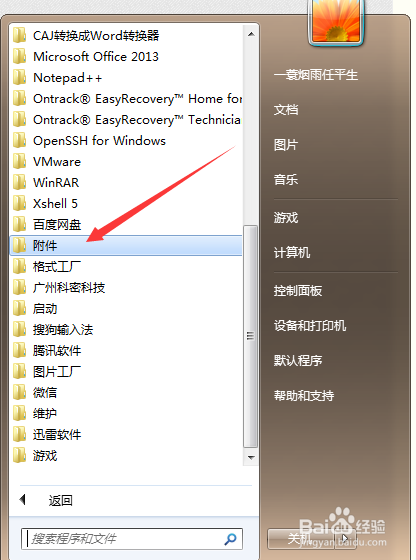
2、找到“附件”

win7如何打开windowspowerShell

3、找到windows powershell

win7如何打开windowspowerShell

4、点击这个图标

win7如何打开windowspowerShell

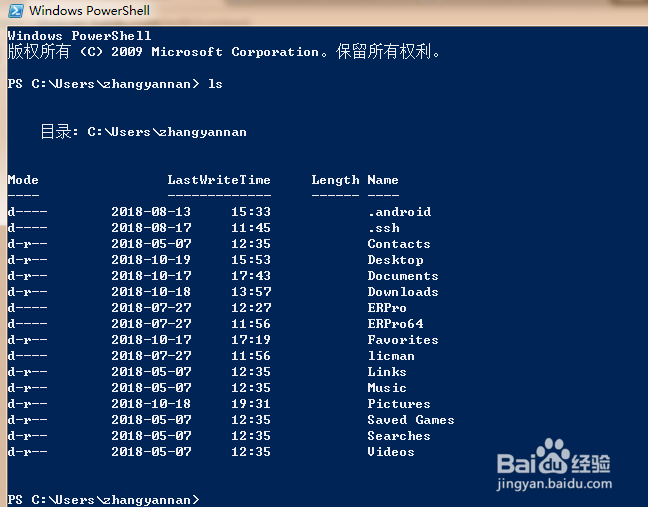
5、输入ls,列出所有文件,跟linux有点像

win7如何打开windowspowerShell

6、输入exit就可以退出shell

win7如何打开windowspowerShell

© 2026 海能知识库
信息来自网络 所有数据仅供参考
有疑问请联系站长 site.kefu@gmail.com