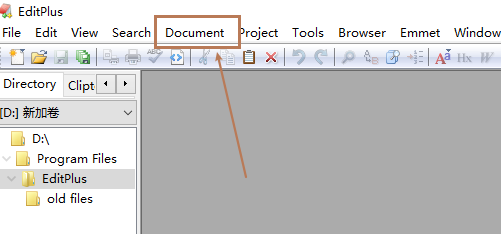
1、首先打开Editplus软件,点击工具栏Document选项,如图:
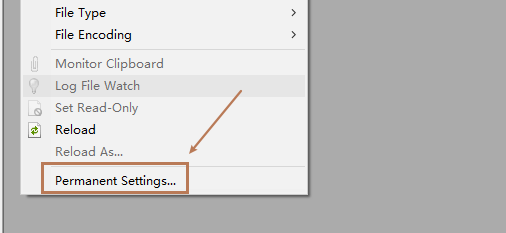
2、在打开的界面中点击Permanent Settings,如图:
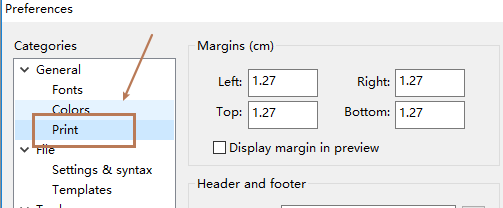
3、在设置界面,点击全局设置下方的print,如图:
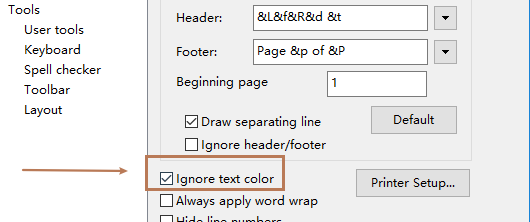
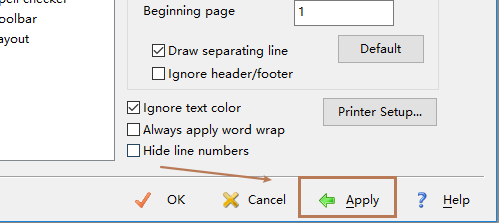
4、在右侧打开的界面中,点击ignore text color选项,如图:
5、设置完成后,点击下方的Apply按钮,再点击OK即可,如图:
1、【1】首先打开Editplus软件,点击工具栏Document选项
【2】在打开的界面中点击Permanent Settings
【3】在打开的界面中点击Permanent Settings
【4】在右侧打开的界面中,点击ignore text color选项
【5】设置完成后,点击下方的Apply按钮,再点击OK即可