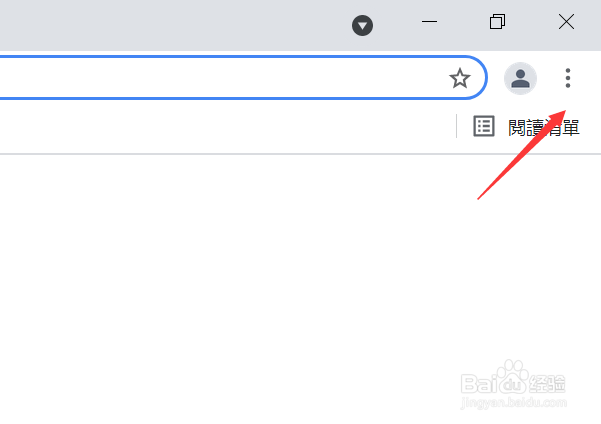
1、点击浏览器右上角的三个点,如下图所示
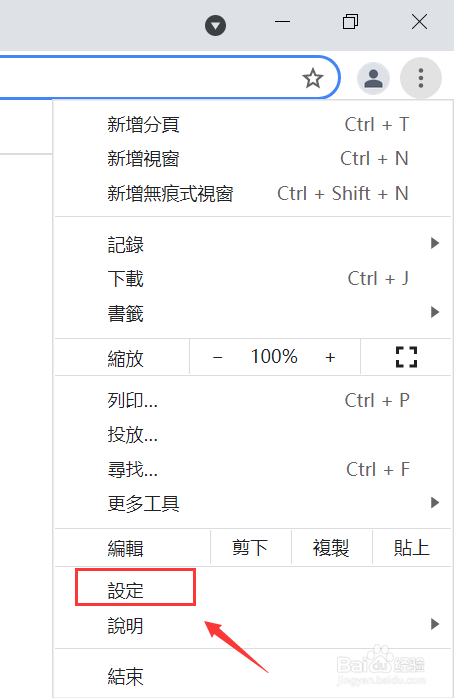
2、点击设定选项卡,如下图所示
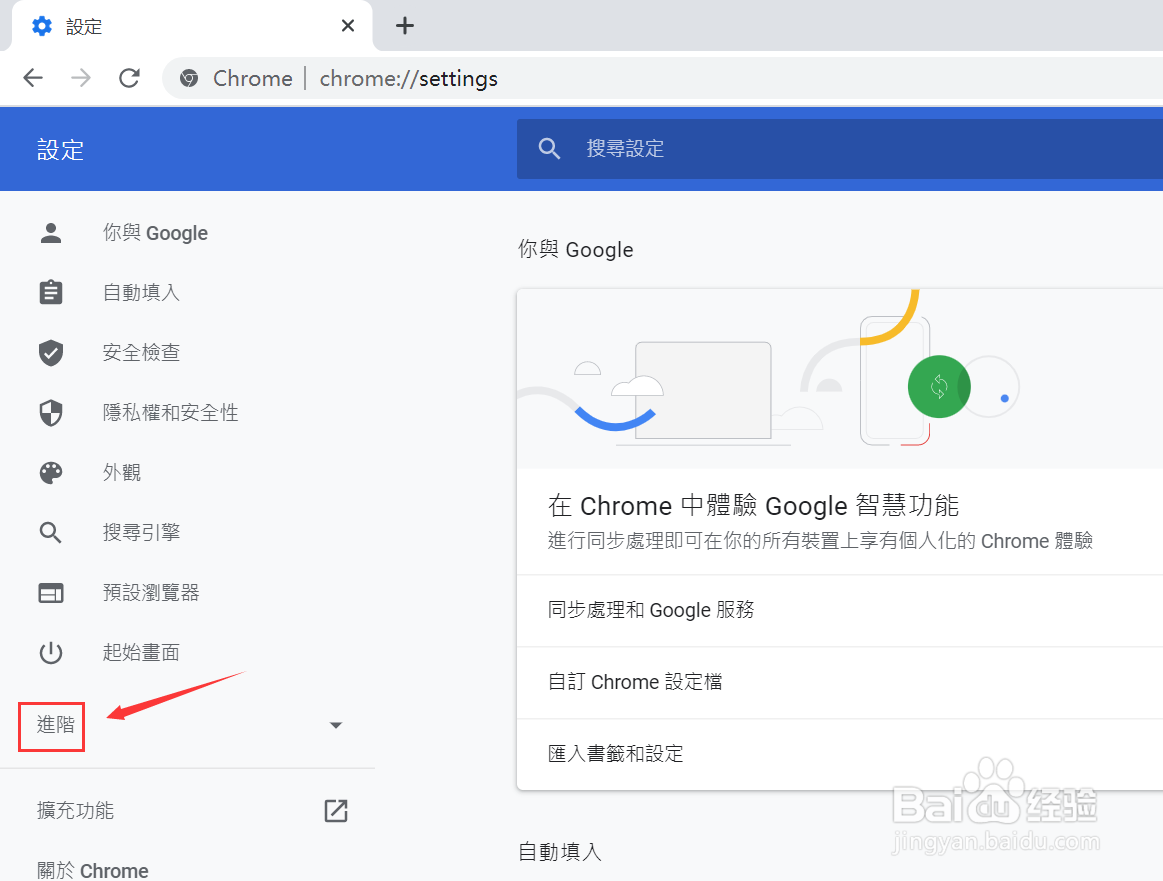
3、点击展开右侧的进阶,如下图所示
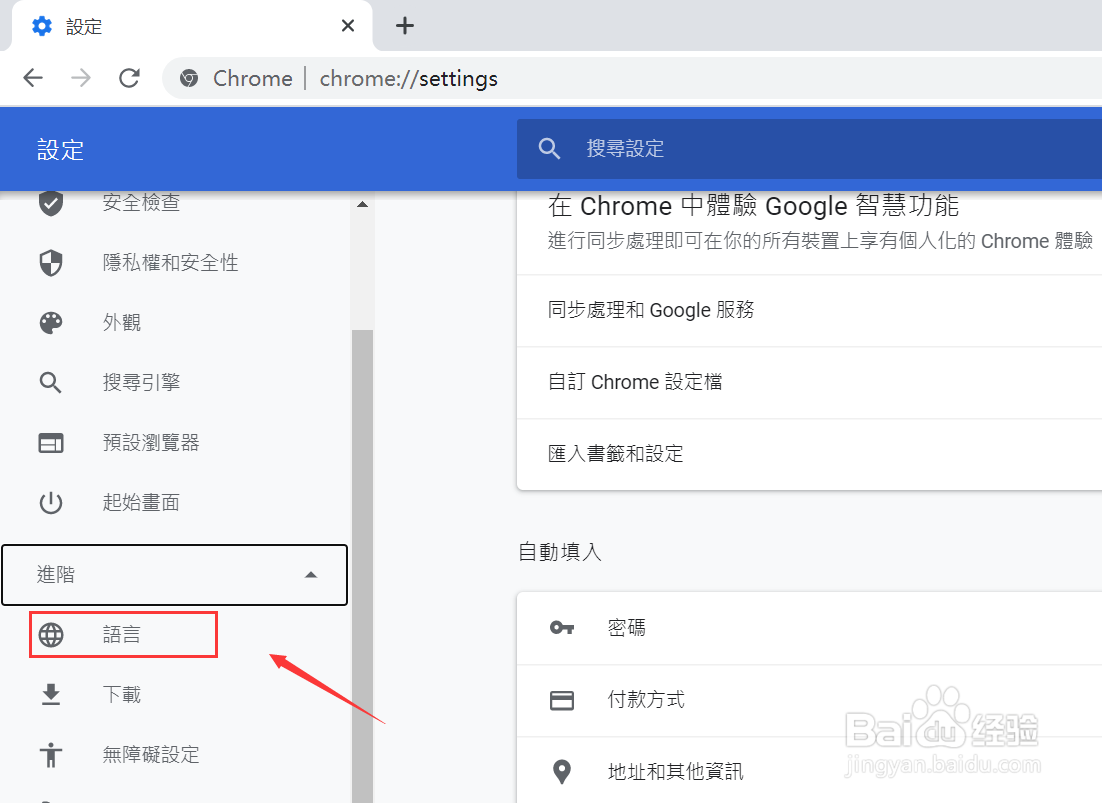
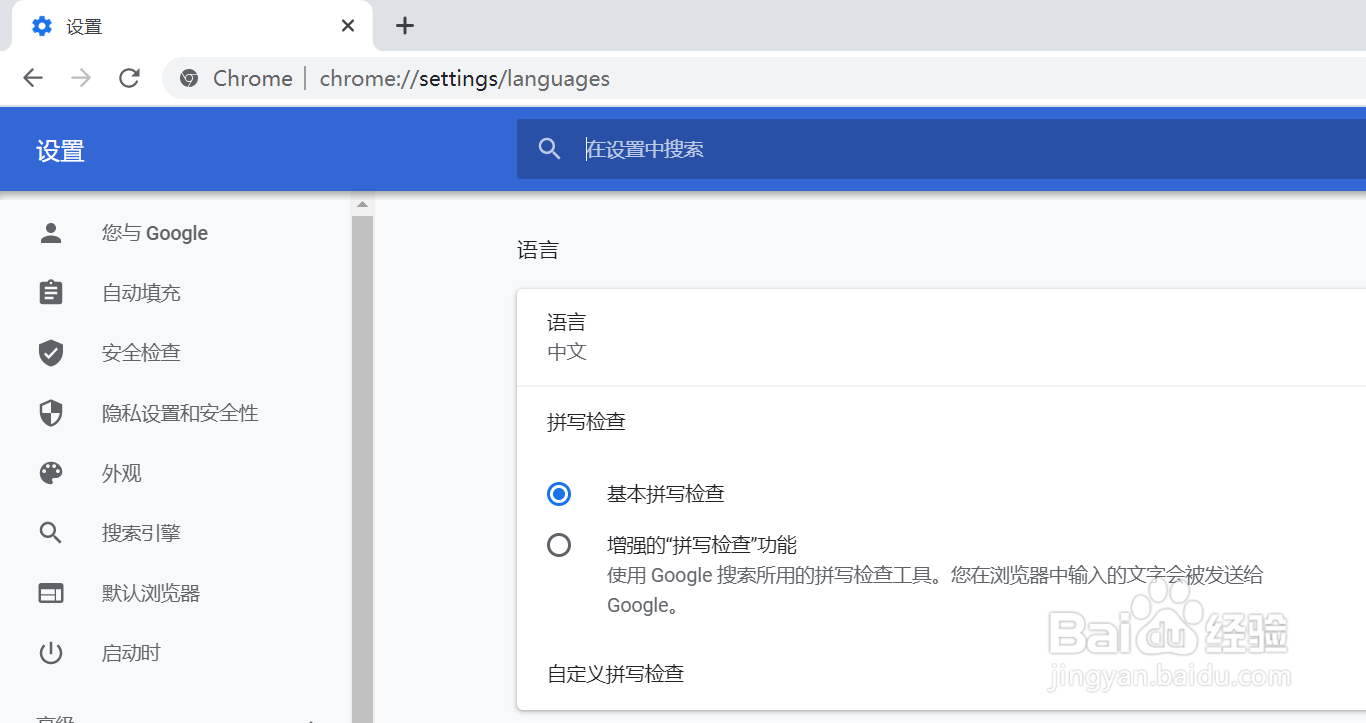
4、点击语言,如下图所示
5、点击语言展开,如下图所示
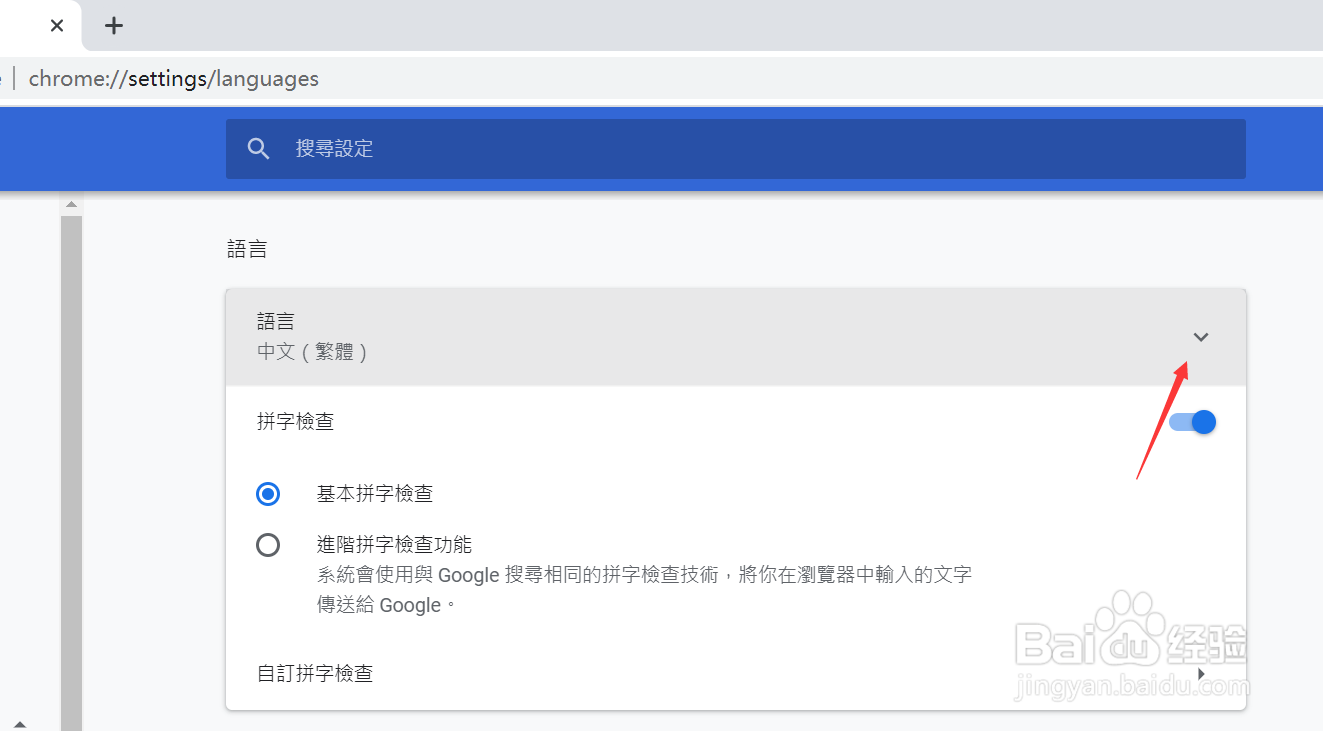
6、选择中文后面的展开箭头,如下图所示
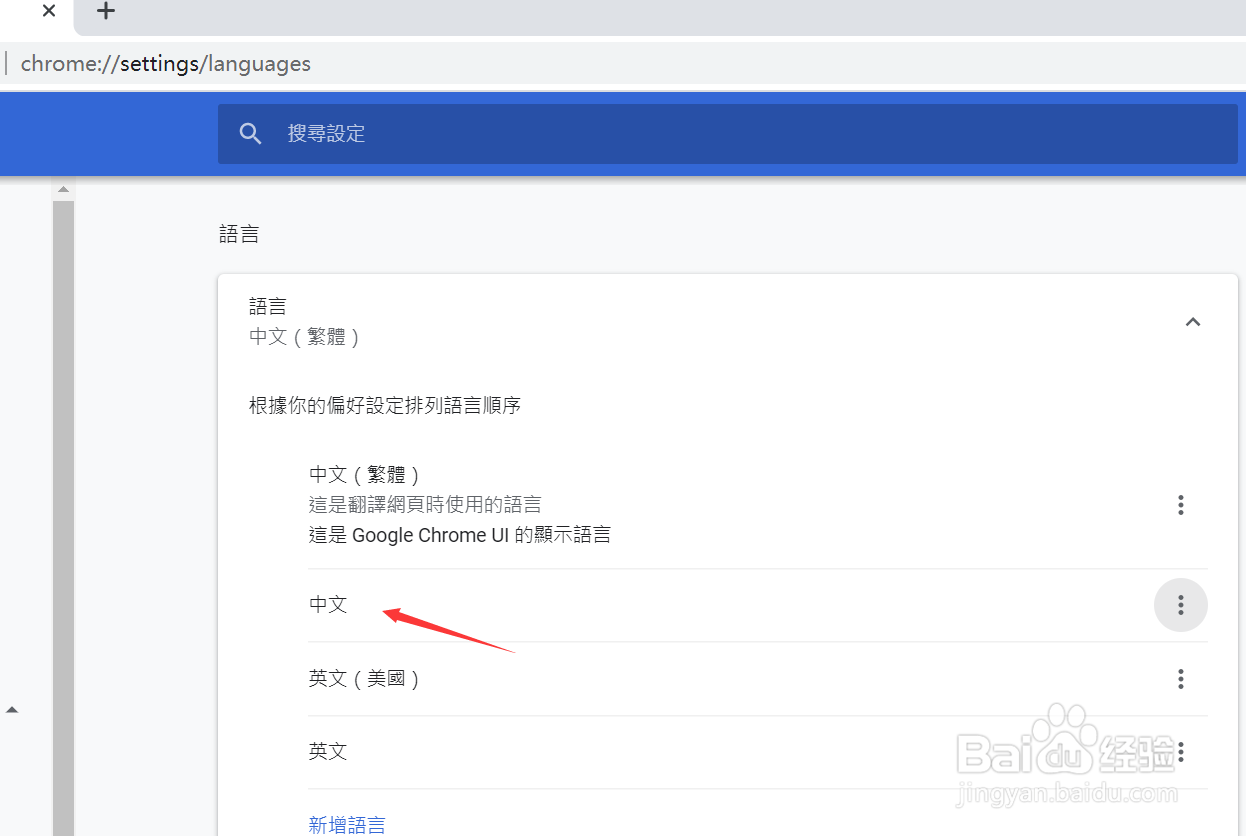
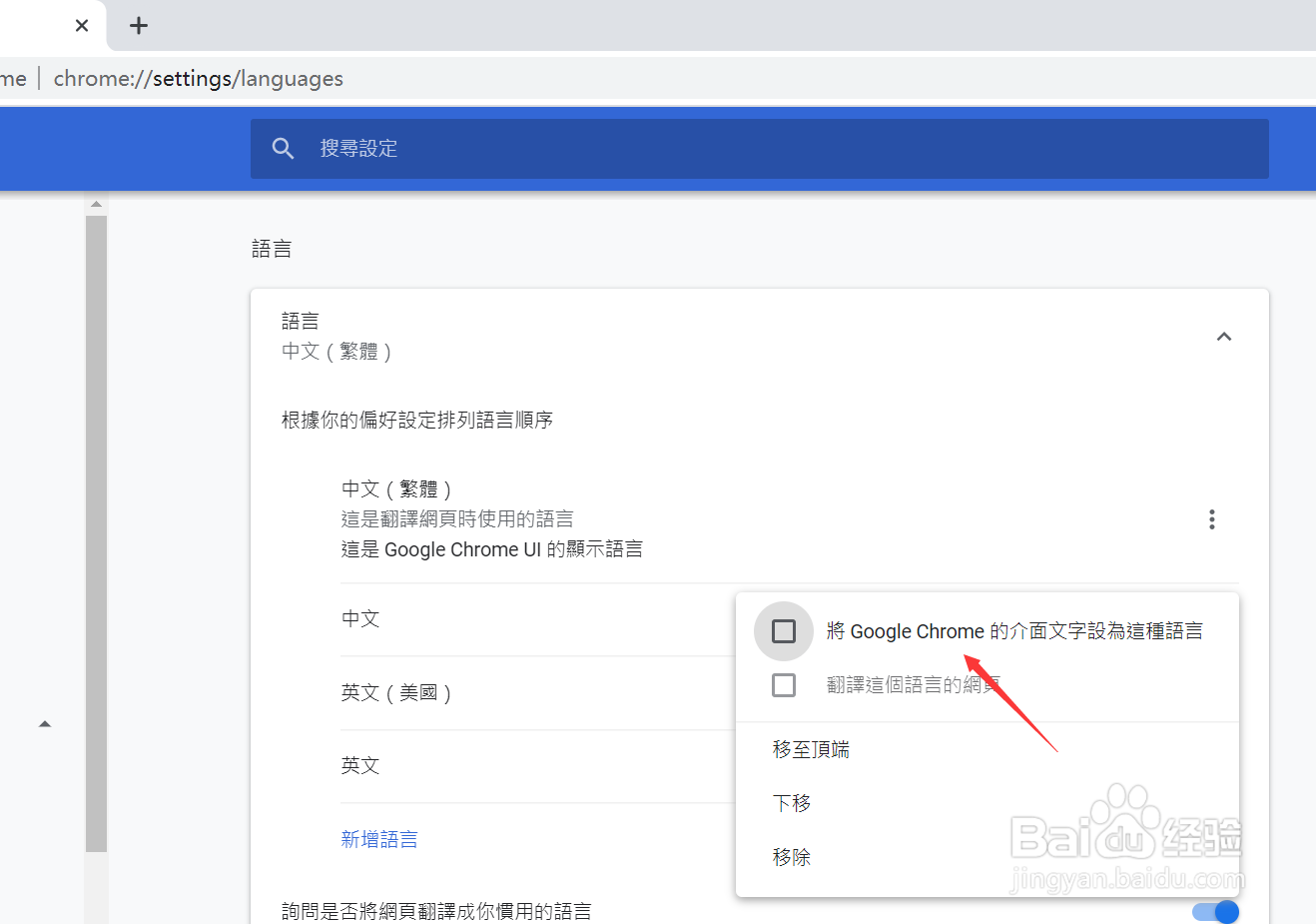
7、选择讲Google chrome的介绍字体设置成这样,如下图所示
8、点击重新启动按钮,如下图所示
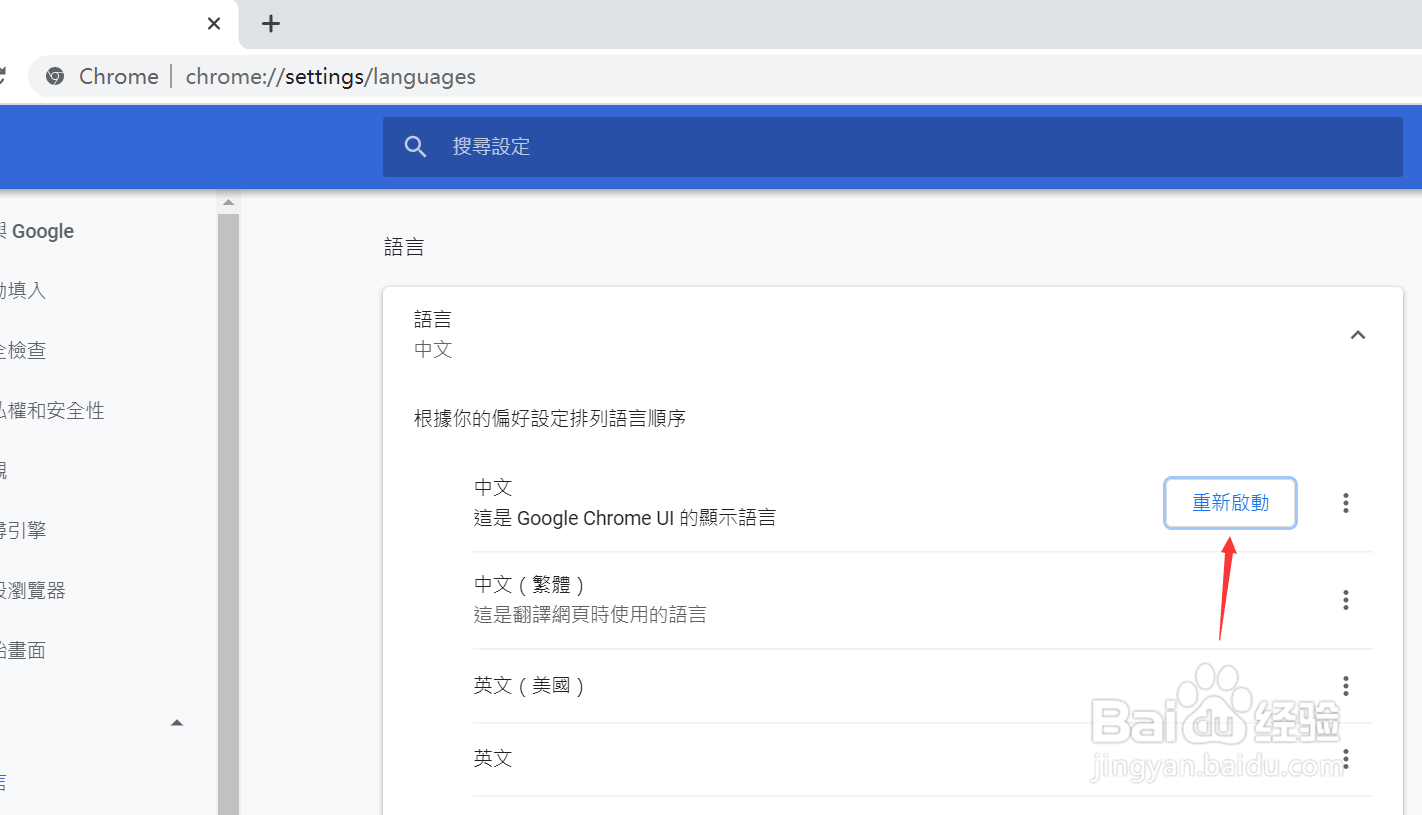
9、浏览器重新打开后就是简体界面了,如下图所示
1、点击浏览器右上角的三个点,如下图所示
2、点击设定选项卡,如下图所示
3、点击展开右侧的进阶,如下图所示
4、点击语言,如下图所示
5、点击语言展开,如下图所示
6、选择中文后面的展开箭头,如下图所示
7、选择讲Google chrome的介绍字体设置成这样,如下图所示
8、点击重新启动按钮,如下图所示
9、浏览器重新打开后就是简体界面了,如下图所示