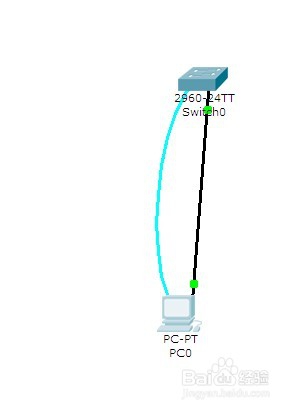
1、建立实验拓扑图
2、设置进入特权模式的密码
Switch(config)# enable password *******

3、设置通过console端口连接设备及Telnet远程登录时所需的密码

4、配置用户登录密码
Switch(config)# enable password ******* 设置进入特权模式的密码
Switch(config)# line vty 0 4
Switch(config-line)# password 5ijsj
Switch(config-line)# login

5、配置交换机管理ip地址
Switch(config)# int vlan 1
Switch(config-if)# ip address **IP** **submask***

6、配置PC的ip
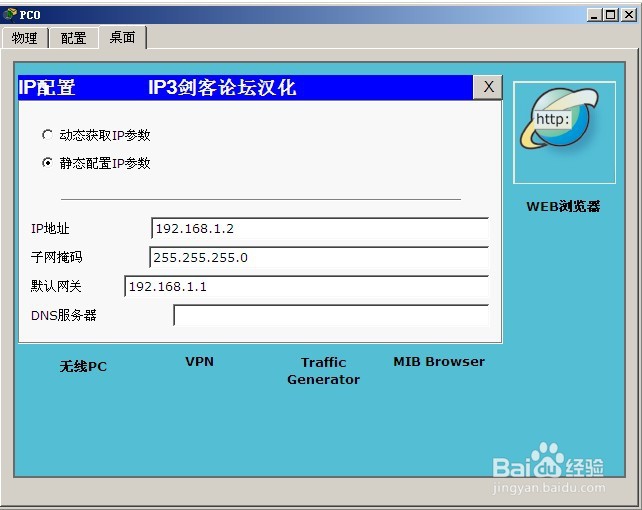
7、配置用户登录密码
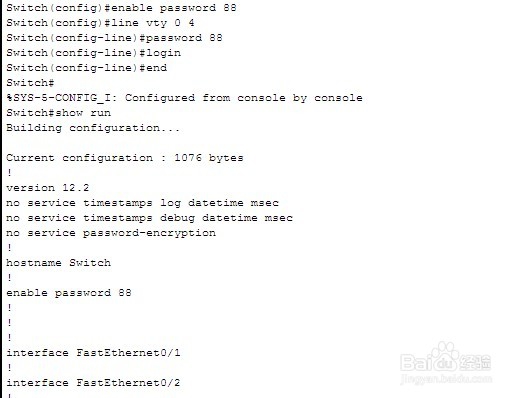
8、检测1
PC:ping 192.168.1.1
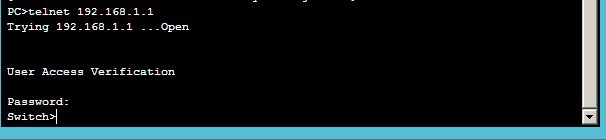
9、检测2
PC:telnet 192.168.1.1
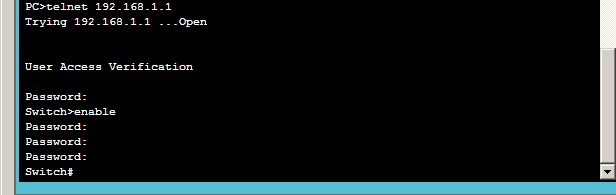
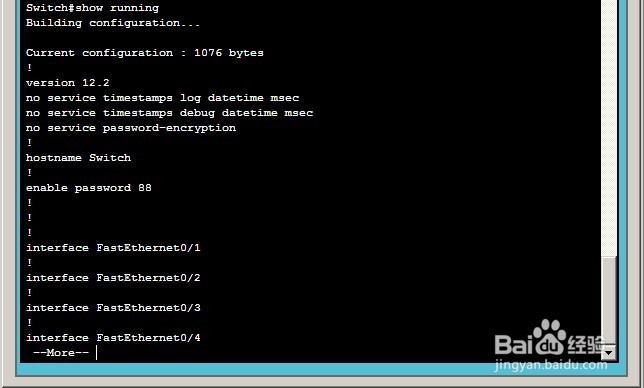
10、检测3:
Show running
1、实验命令
PC
192.168.1.2
255.255.255.0
192.168.1.1
PC终端
en
conf t
inter vlan 1(默认交换机的所有端口都在VLAN1中)
ip address 192.168.1.1 255.255.255.0
no shutdown
exit
enable password 123456
line vty 0 4
password 5ijsj
login
end
show run
PC CMD
ping 192.168.1.1
telnet 192.168.1.1
password:5ijsj
enable
password:123456
show runing
2、技术原理
配置交换机的管理IP地址(计算机的IP地址与交换机管理IP地址在同一个网段):
为telnet用户配置用户名和登录口令:
1) 交换机、路由器中有很多密码,设置对这些密码可以有效的提高设备的安全性。
2) switch(config)# enable password ****** 设置进入特权模式的密码
3) switch(config-line)可以设置通过console端口连接设备及Telnet远程登录时所需的密码;
switch(config)# line console 0
switch(config-line)# password 5ijsj
switch(config-line)# login
switch(config)# line vty 0 4
switch(config-line)# password 5ijsj
switch(config-line)# login