如何重设苹果手机上的APP Store 密码?

时间:2026-02-15 18:56:21

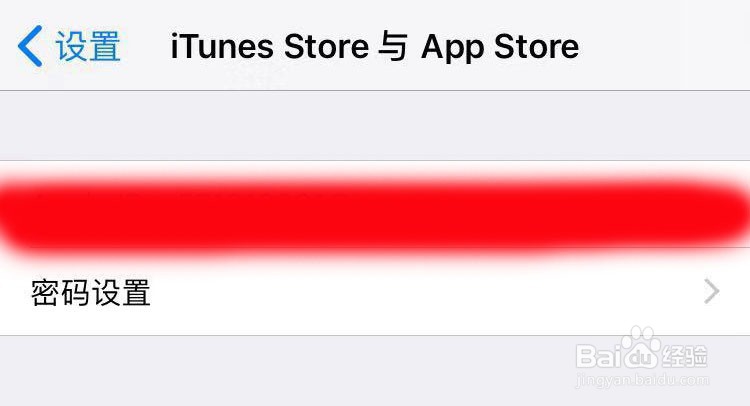
1、打开手机里的设置,然后一直往下拉,直到找到“iTunes Store 与 APP Store”

如何重设苹果手机上的APP Store 密码?

2、点击“iTunes Store 与 APP Store”后,再点击“Apple ID”
如何重设苹果手机上的APP Store 密码?

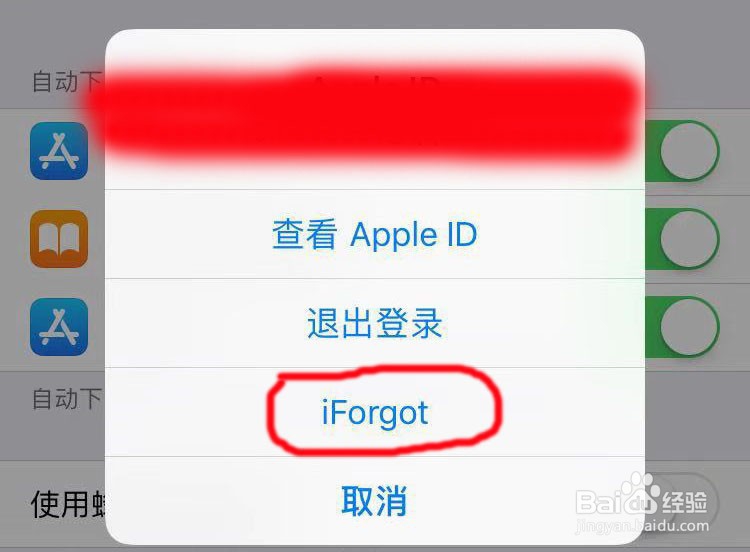
3、然后在跳出的“Apple ID”界面中点击“iForgot”

如何重设苹果手机上的APP Store 密码?

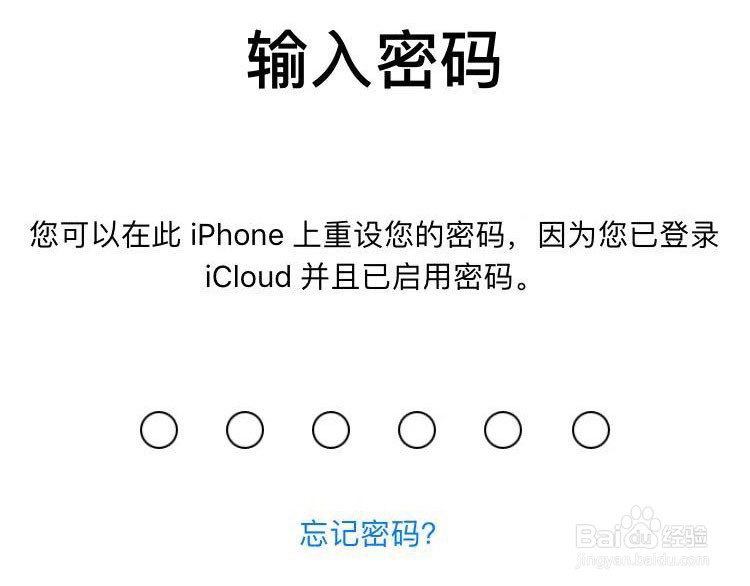
4、然后输入自己的锁屏密码

如何重设苹果手机上的APP Store 密码?

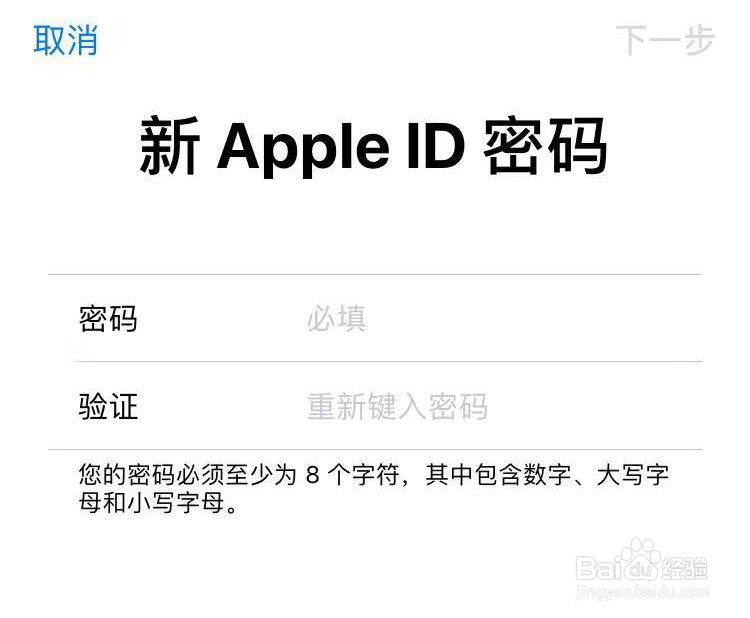
5、这时,在“新Apple ID 密码”的界面中,在密码那栏输入自己想要的密码,然后在验证那栏再次输入一遍,完成后便点击右上方的“下一步”
如何重设苹果手机上的APP Store 密码?

6、这时便会提示“密码已更改”,点击最下方的“完成”即可。这样APP Store密码便重新设置成功了

如何重设苹果手机上的APP Store 密码?

如何重设苹果手机上的APP Store 密码?

© 2026 海能知识库
信息来自网络 所有数据仅供参考
有疑问请联系站长 site.kefu@gmail.com