1、打开powerpoint软件,进入软件的主界面;

2、点击powerpoint的插入菜单;

3、在工具栏中点击形状;

4、在基本形状中找到并点击L形;
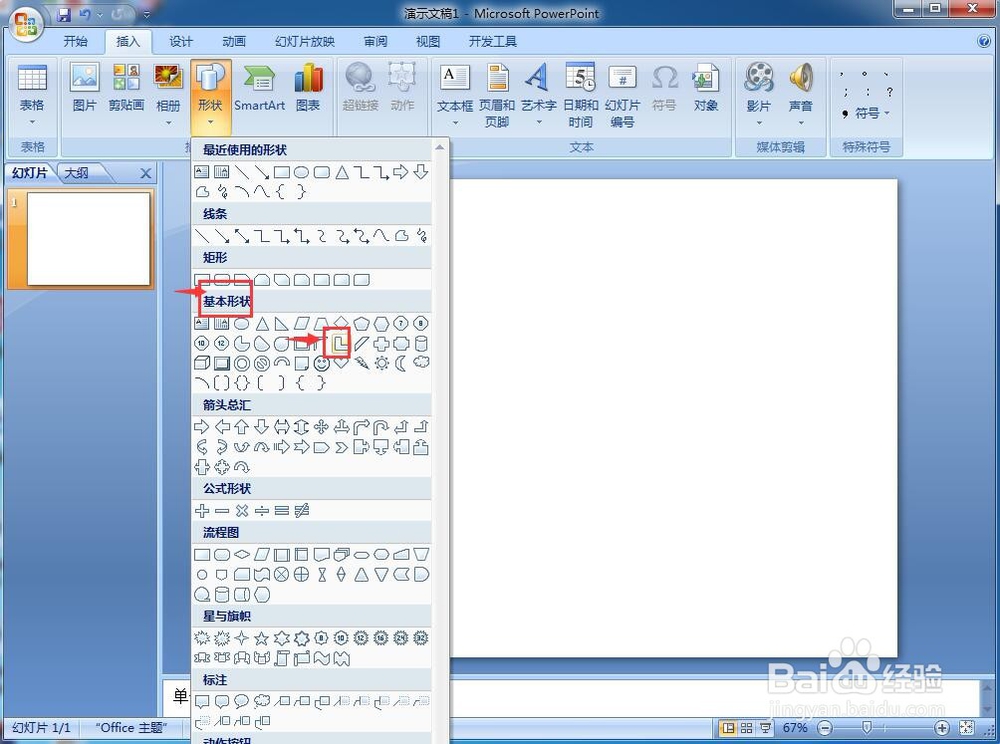
5、鼠标变成十字形,按住鼠标左键不放,在空白的编辑页面中拖动鼠标,画出一个L形;

6、在L形上点击鼠标右键,打开一个快捷菜单,选择设置形状格式;
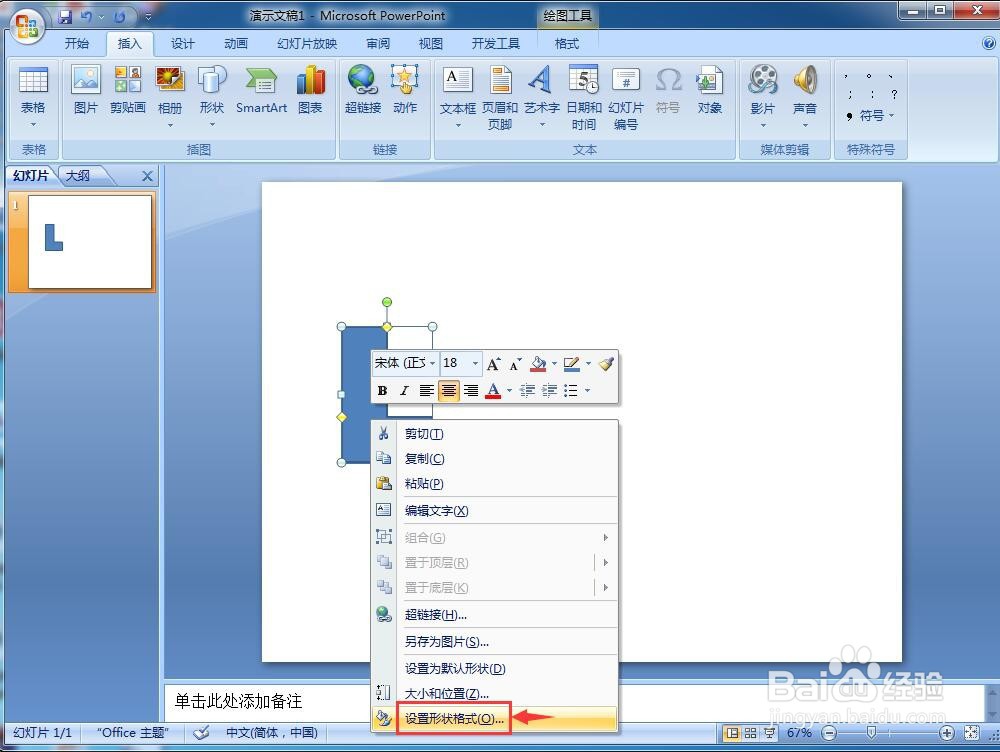
7、点击填充,选择纯色填充,点击一种颜色;

8、点击阴影,添加一种阴影样式;

9、点击三维格式,选择一种效果,如暖调;

10、用上面介绍的方法,我们就可以在powerpoint中创建一个L形。

1、打开powerpoint软件,进入软件的主界面;
2、点击powerpoint的插入菜单;
3、在工具栏中点击形状;
4、在基本形状中找到并点击L形;
5、鼠标变成十字形,按住鼠标左键不放,在空白的编辑页面中拖动鼠标,画出一个L形;
6、在L形上点击鼠标右键,打开一个快捷菜单,选择设置形状格式;
7、点击填充,选择纯色填充,点击一种颜色;
8、点击阴影,添加一种阴影样式;
9、点击三维格式,选择一种效果,如暖调;
10、用上面介绍的方法,我们就可以在powerpoint中创建一个L形。