1、菜单栏“网络管理”-->“SNMP”

2、在“SNMP”配置中,点击“管理主机”,然后点击“添加”,添加“名称”、“主机名称”和“共同体名”

3、在“SNMP”配置中,重启“SNMP服务控制”,并保存配置。

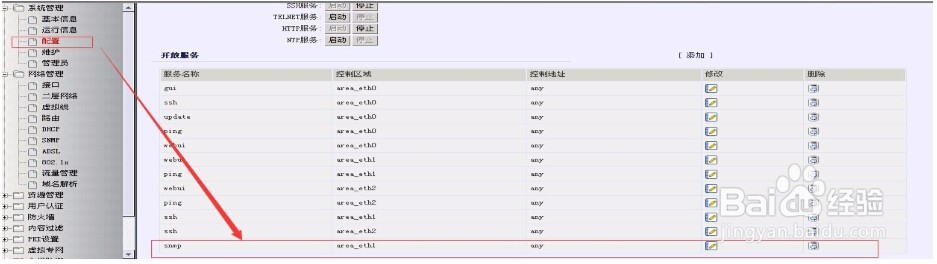
4、然后在“系统管理”中,在配置中,添加SNMP服务开放区域。
1、#snmp
.snmp#show config
.snmp# managehost add hostip 10.10.10.10 name beta community yndw
.snmp# stop
.snmp# start
.snmp# exit
# exit
Save system config?[Y/N]: y
system config save......
save config success.
注解:
10.10.10.10为网管机的IP地址