1、新建一个文本文档。

2、输入下列代码。
Windows Registry Editor Version 5.00[HKEY_LOCAL_MACHINE\SYSTEM\CurrentControlSet\Control\FileSystem]
"NtfsDisable8dot3NameCreation"=dword:00000000
"Win31FileSystem"=dword:00000000
"Win95TruncatedExtensions"=dword:00000001
"NtfsAllowExtendedCharacterIn8dot3Name"=dword:00000001
"ConfigFileAllocSize"=dword:000001f4

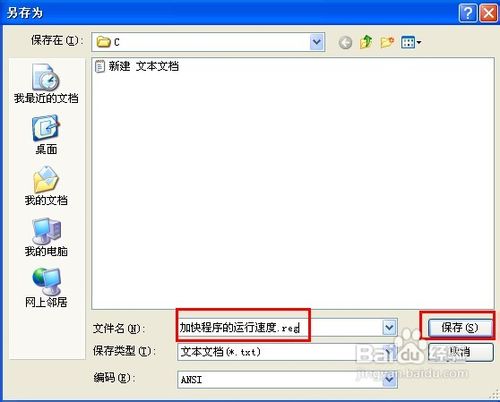
3、然后点击“文件”——“另存为”。

4、选择保存路径及输入文件名“加快程序的运行速度.reg”,保存。
5、然后双击运行该注册表文件,当出现如下提示时点“是”即可。
