1、切换到【插入】--【符号】----【其他符号】;

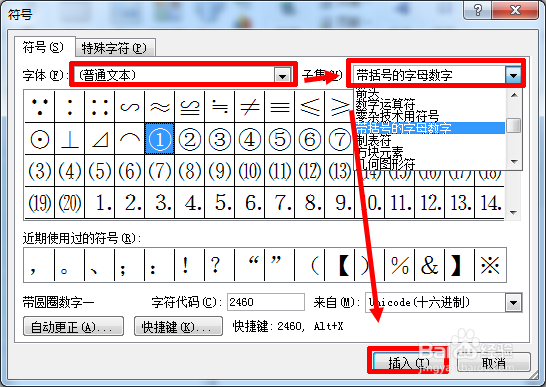
2、字体中选择【(普通文本)】,子集中选择【带括号的字母数字】,选择需要插入的数字,这里选择 9 ,点击【插入】;
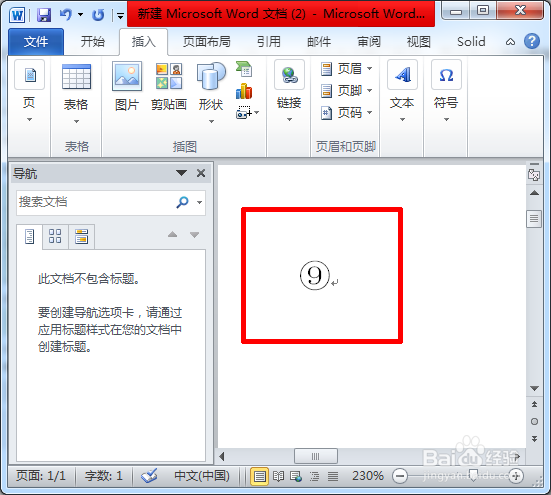
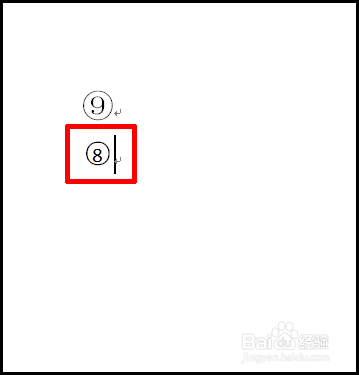
3、这样就插入了。
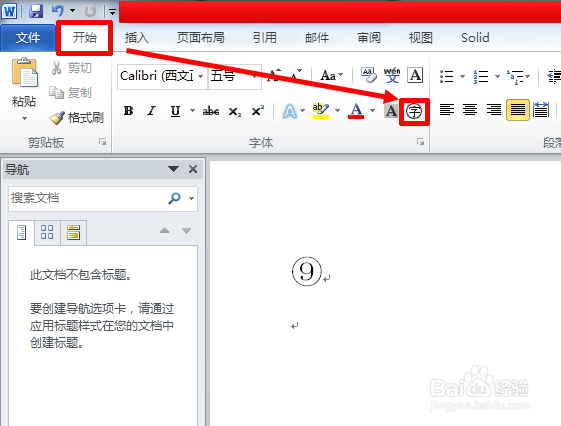
1、【开始】--点击如图所示;
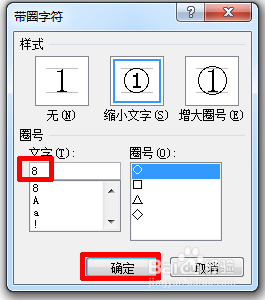
2、输入数字 8 ,点击【确定】;
3、这样也可以插入带圈的数字;
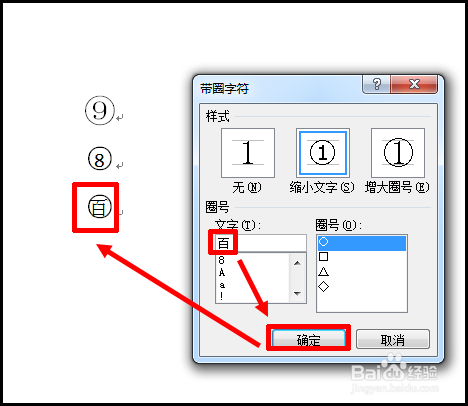
4、还可以输入带圈的文字。
1、切换到【插入】--【符号】----【其他符号】;
2、字体中选择【(普通文本)】,子集中选择【带括号的字母数字】,选择需要插入的数字,这里选择 9 ,点击【插入】;
3、这样就插入了。
1、【开始】--点击如图所示;
2、输入数字 8 ,点击【确定】;
3、这样也可以插入带圈的数字;
4、还可以输入带圈的文字。