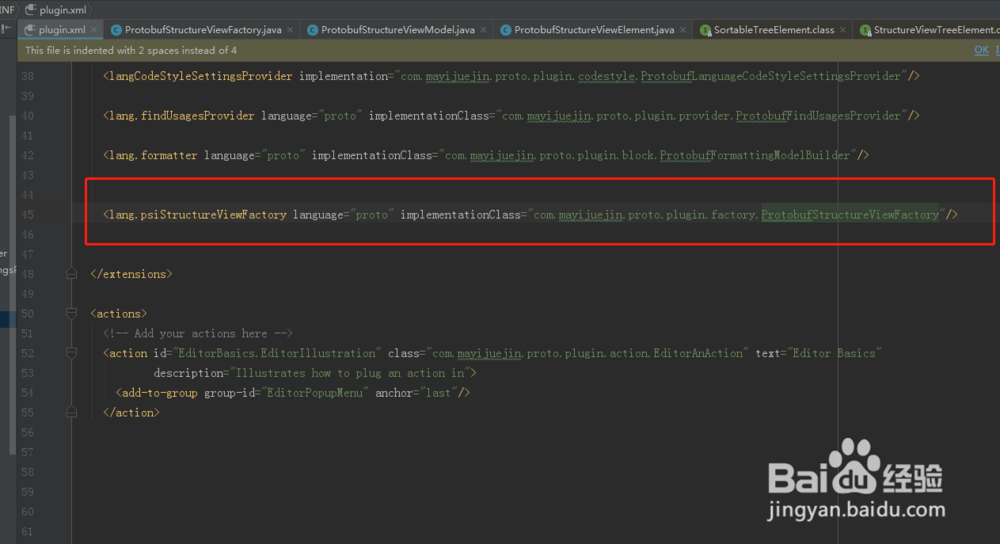
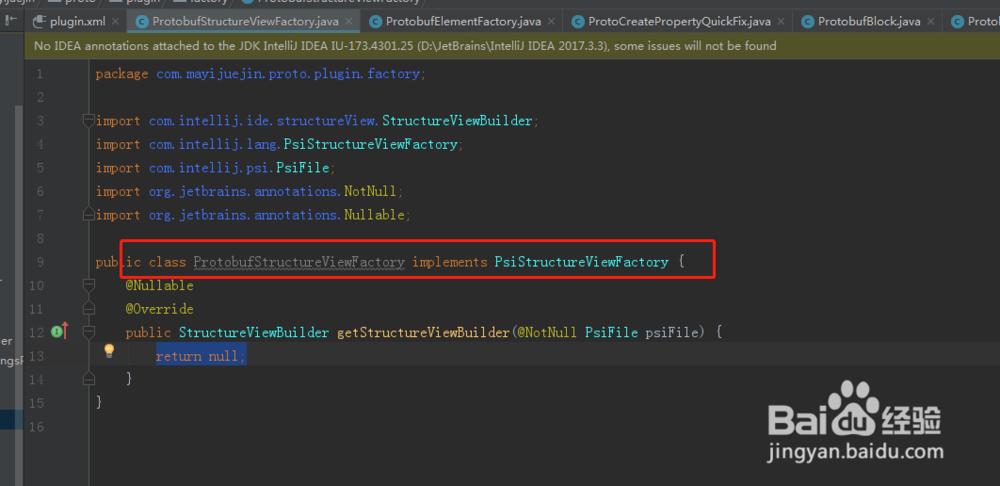
1、创建一个结构化视图工厂类实现PsiStructureViewFactory接口。如图
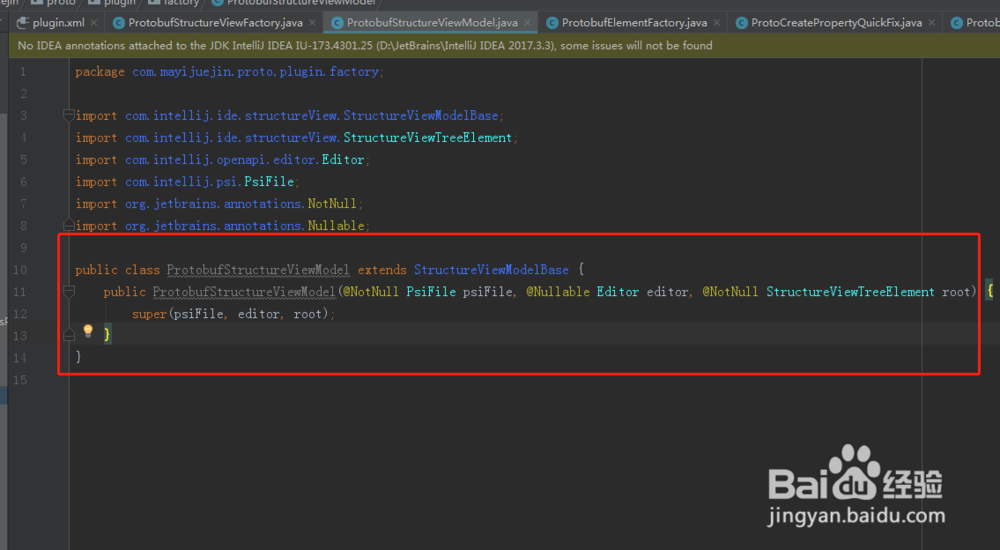
2、创建一个结构化视图的StructureViewModel类,继承自StructureViewModelBase类。如图
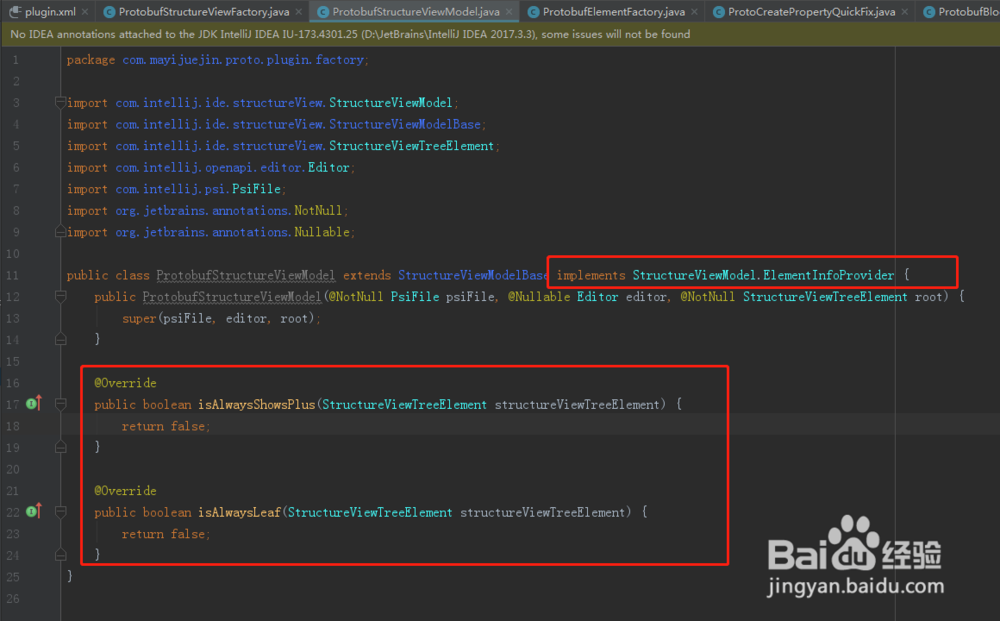
3、实现StructureViewModel的ElementInfoProvider元素提供器接口,控制是否显示加号和叶子节点。如图
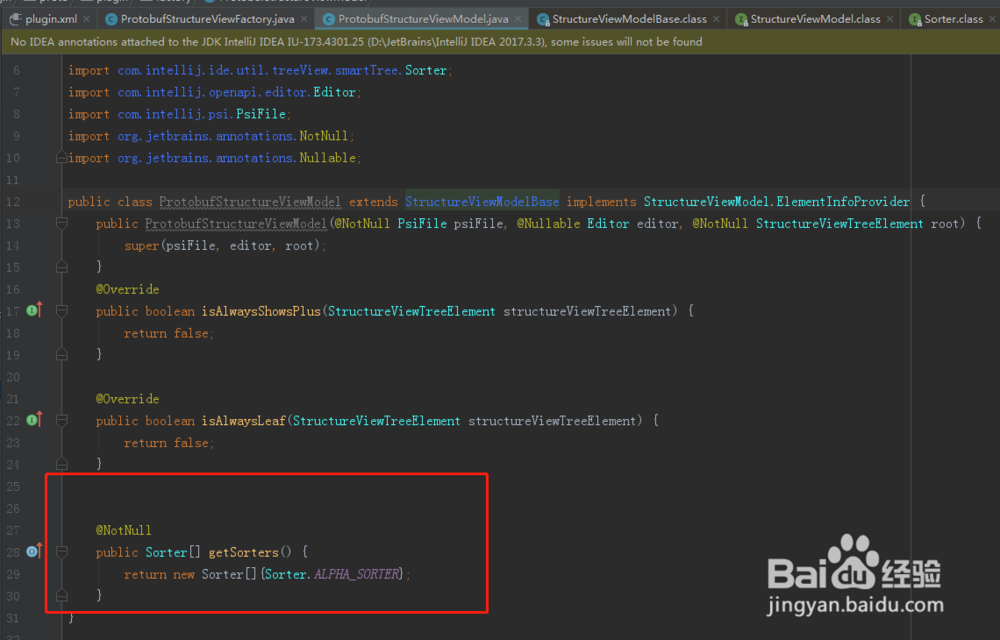
4、在结构视图中,想控制排序,需要重写getSorters方法。如图
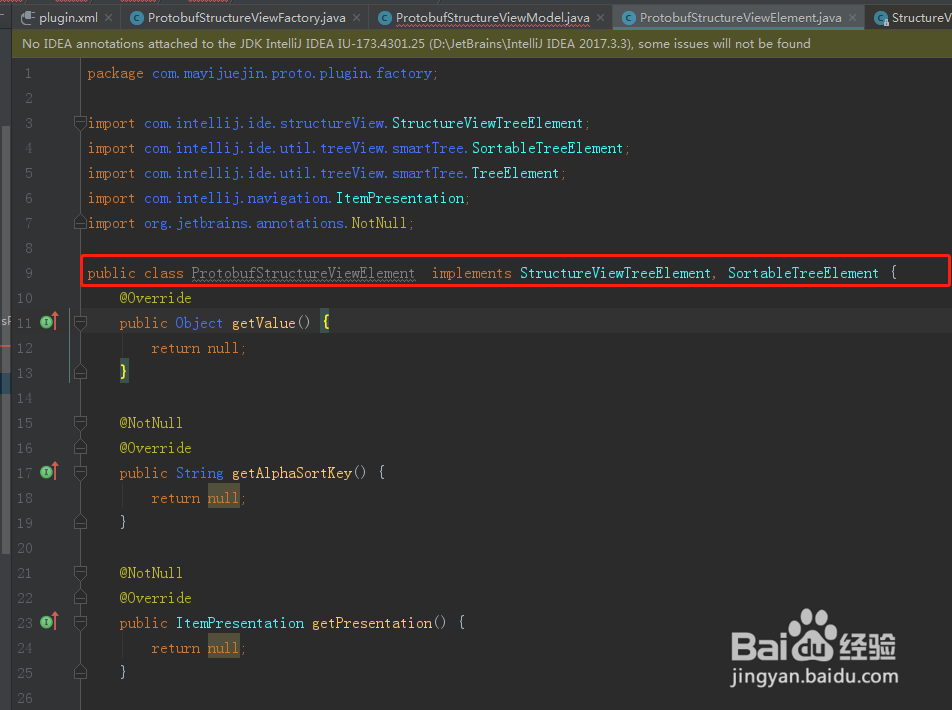
5、创建ProtobufStructureViewElement类,实现StructureViewTreeElement, SortableTreeElement接口。如图
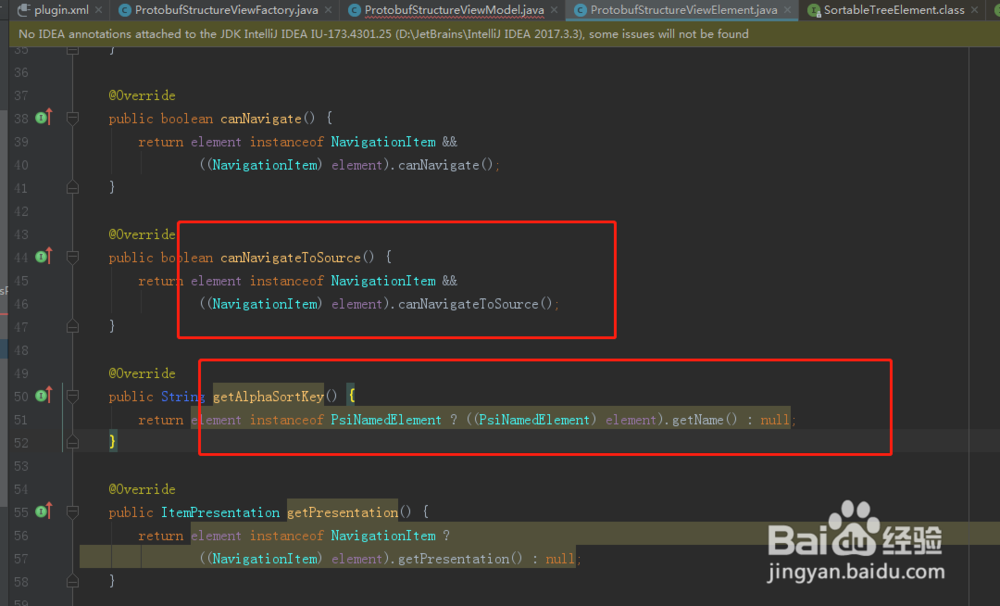
6、实现相关的排序方法和导航控制方法。如图。

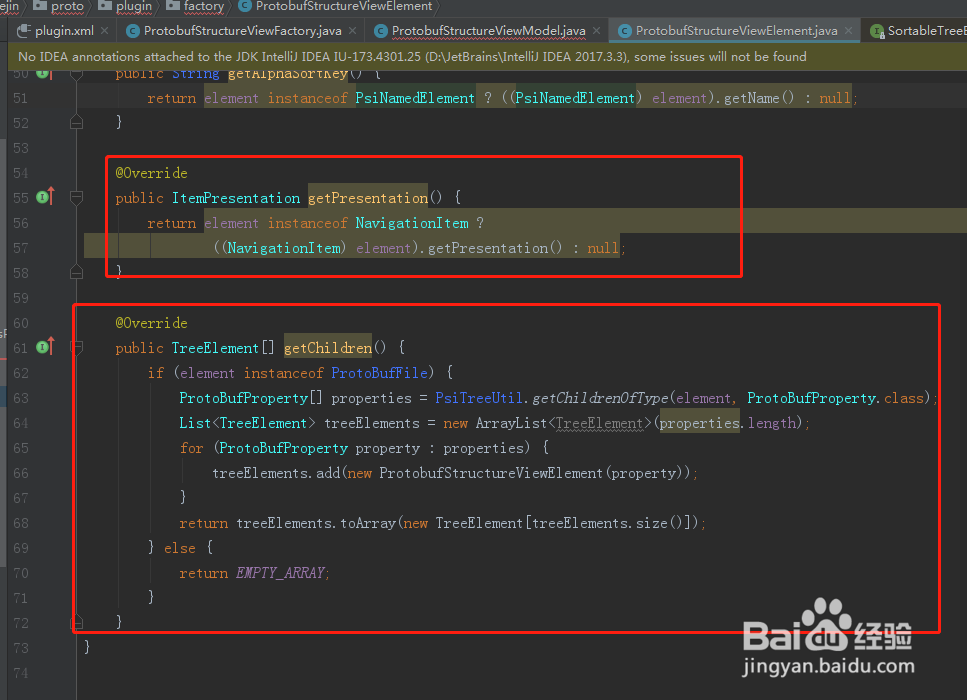
7、在ProtobufStructureViewModel构造函数中传ProtobufStructureViewElement类实例。如图
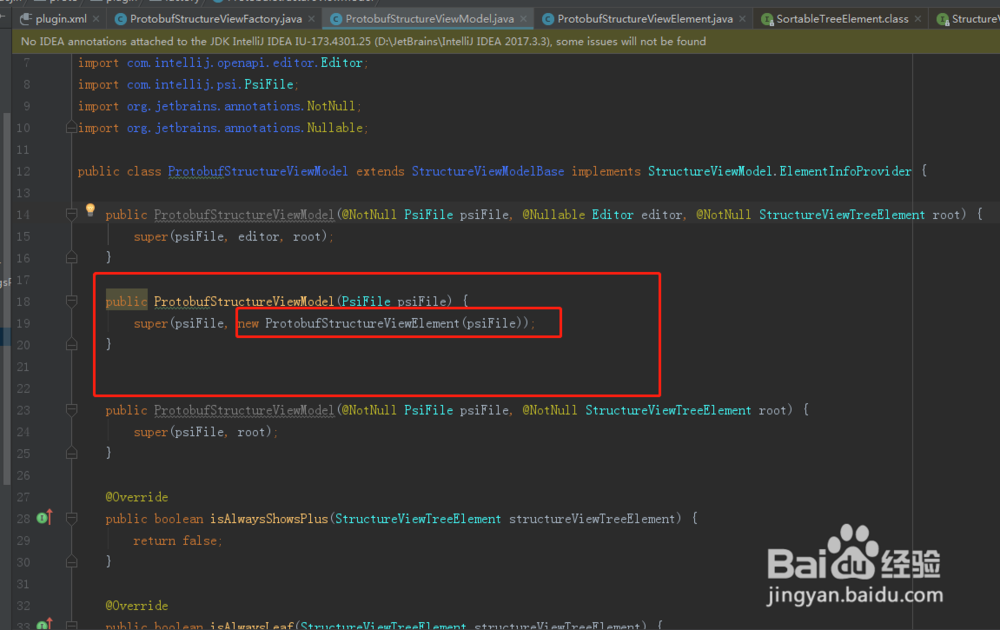
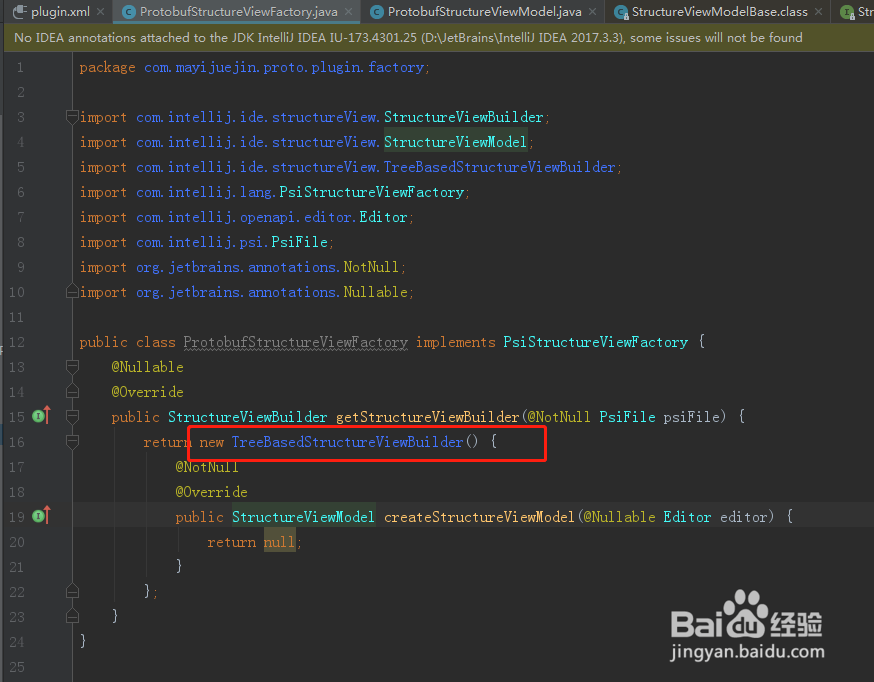
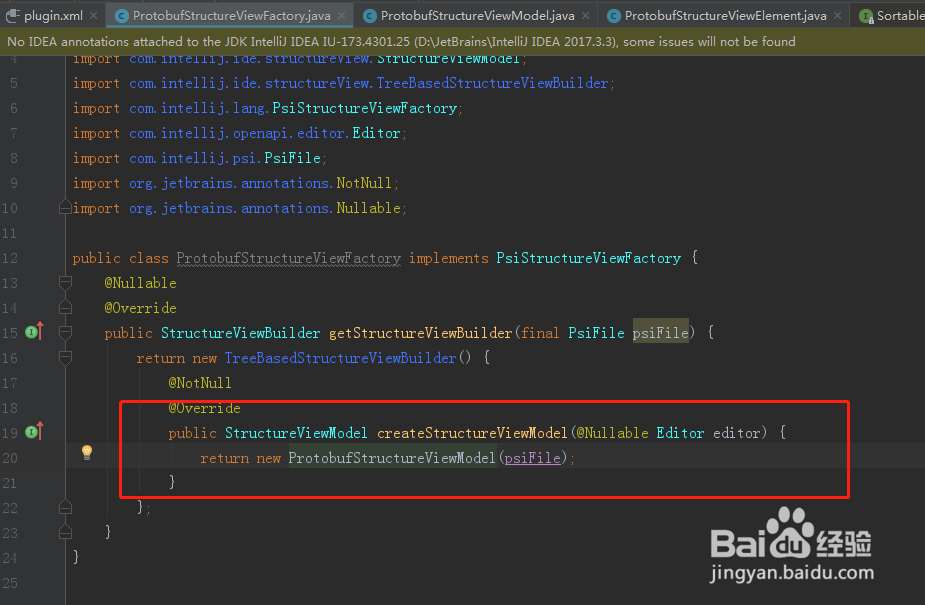
8、在ProtobufStructureViewFactory类中实例化TreeBasedStructureViewBuilder,并实现方法createStructureViewModel返回ProtobufStructureViewModel实例。
9、最后代码结构化视图工厂类注册到plugin.xml文件的extensions标签中。运行工程即可。如图