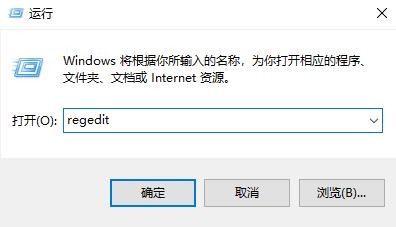
1、按下“win+r”打开运行,输入regedit。
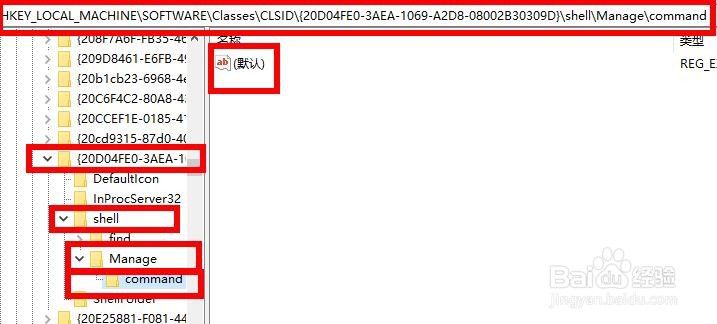
2、依次打开
HKEY_LOCAL_MACHINE\SOFTWARE\Classes\CLSID\{20D04FE0-3AEA-1069-A2D8-08002B30309D}\Shell\Manage\Command。
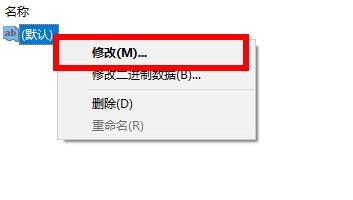
3、右击右侧的“默认”点击“修改”。
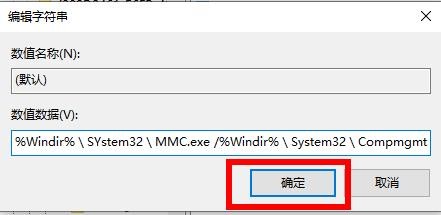
4、将数据数值修改为%Windir%\SYstem32\MMC.exe /%Windir%\System32\Compmgmt.msc即可。
1、按下“win+r”打开运行,输入regedit。
2、依次打开
HKEY_LOCAL_MACHINE\SOFTWARE\Classes\CLSID\{20D04FE0-3AEA-1069-A2D8-08002B30309D}\Shell\Manage\Command。
3、右击右侧的“默认”点击“修改”。
4、将数据数值修改为%Windir%\SYstem32\MMC.exe /%Windir%\System32\Compmgmt.msc即可。