1、打开文件夹:C:\Windows\temp\;并删除全部文件;

2、快捷键“win+R”,输入“cmd”;
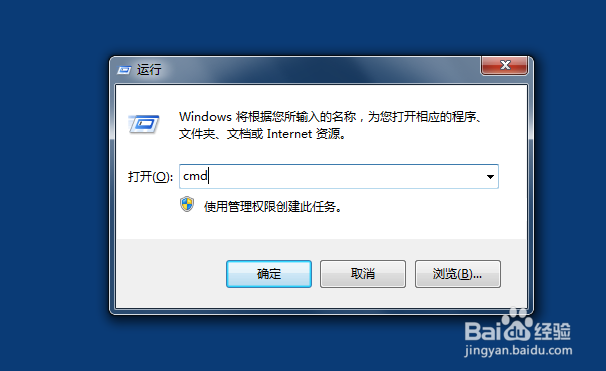
3、复制代码:
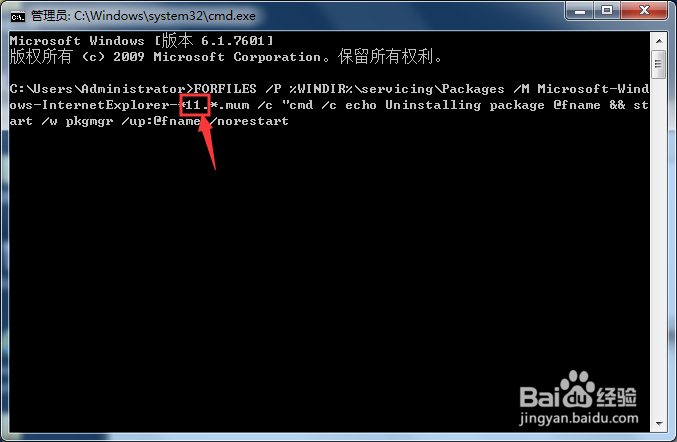
FORFILES /P %WINDIR%\servicing\Packages /M Microsoft-Windows-InternetExplorer-*11.*.mum /c "cmd /c echo Uninstalling package @fname && start /w pkgmgr /up:@fname /norestart
右击,选择粘贴;

4、修改要卸载的ie版本,点击“回车”;
5、会弹出3次错误提示,直接点击“确定”;

6、待代码运行完成,关闭窗口,重启电脑。

1、1.清空文件夹文件:C:\Windows\temp\
2.打开命令运行窗口,粘贴代码;
3.修改代码版本号;
4.等待运行完成,重启。