1、打开ArcGIS ,并新建一个Map地图文档

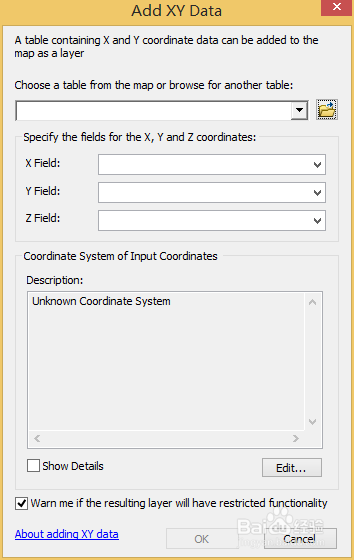
2、选择Add Data,然后选择添加X,Y数据


3、选择匹配的数据表字段和合适的地理坐标,我这里用的是WGS 84,打开后的数据如下
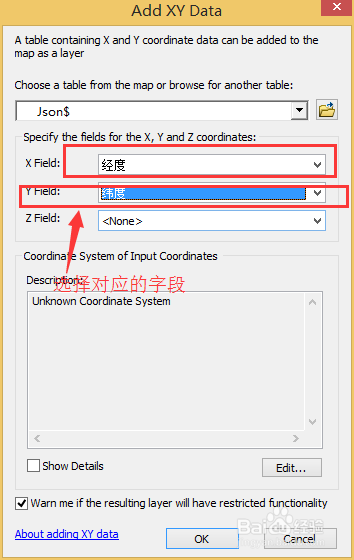
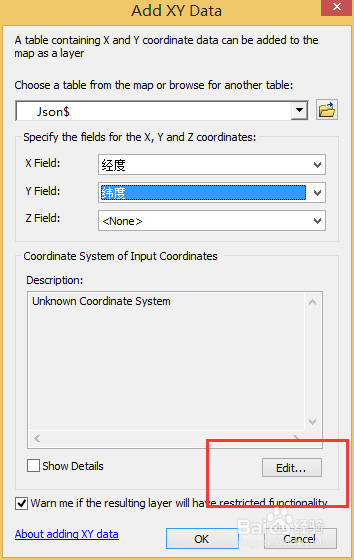


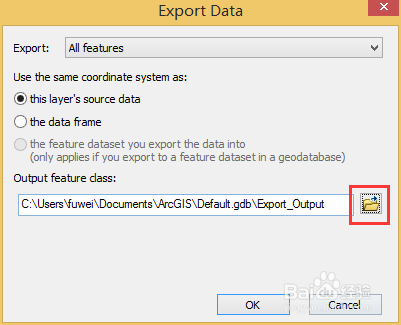
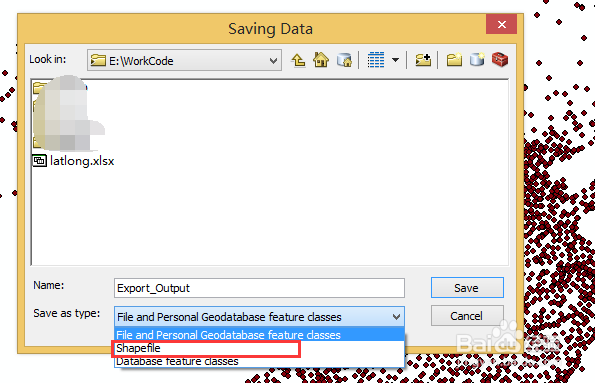
4、右击Export Data 单击选择路径和文件名,选择Shape 格式

5、生成完成后把Shape格式数据导入软件中 ,结果如下


1、打开ArcGIS ,并新建一个Map地图文档
2、选择Add Data,然后选择添加X,Y数据
3、选择匹配的数据表字段和合适的地理坐标,我这里用的是WGS 84,打开后的数据如下
4、右击Export Data 单击选择路径和文件名,选择Shape 格式
5、生成完成后把Shape格式数据导入软件中 ,结果如下