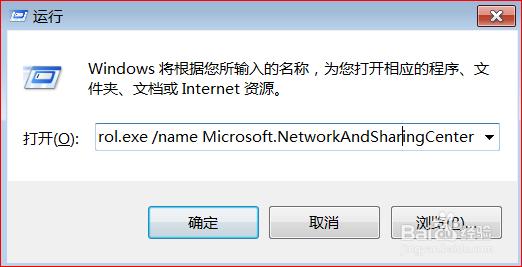
1、按下快捷键“win + r”,输入“ control.exe /name Microsoft.NetworkAndSharingCenter ”,回车。
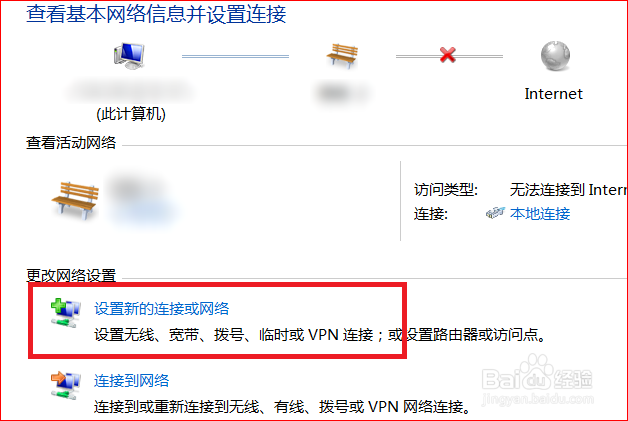
2、在网络和共享中心窗口,点击“设置新的连接和网络”。
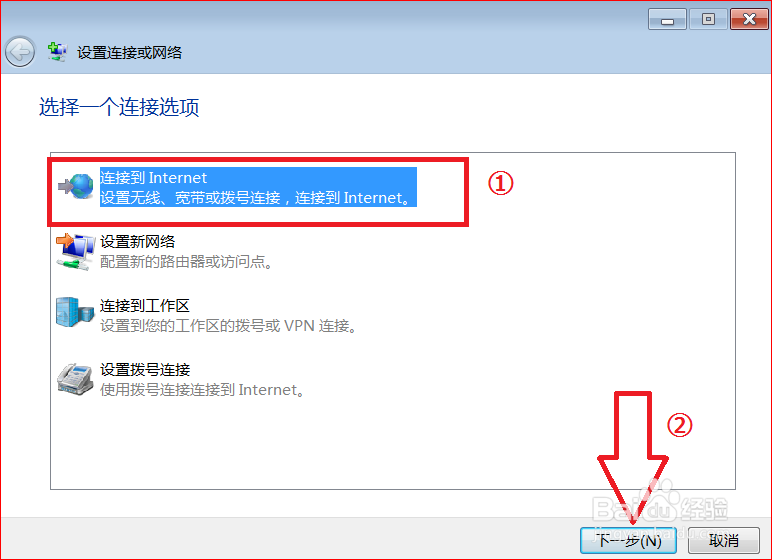
3、点击“连接到internet”,再点击“下一步”。
4、点击“宽带(PPPoE)”。

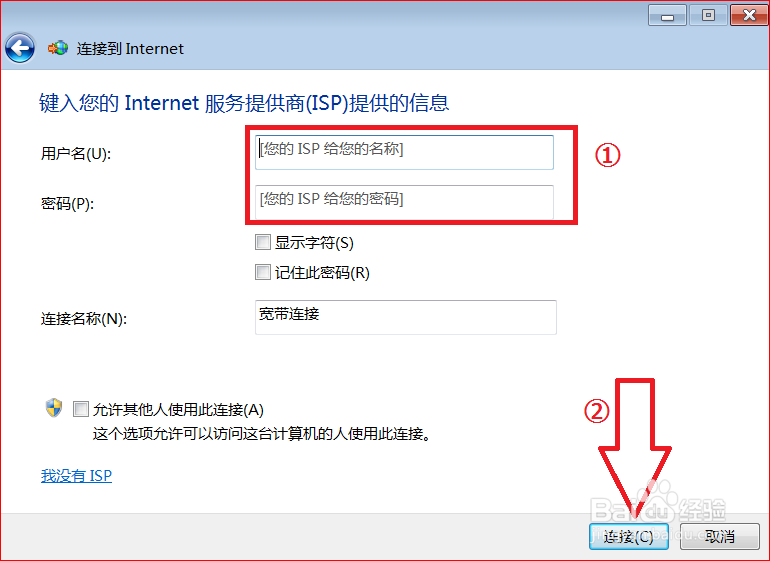
5、输入宽带用户名和密码,点击“连接”。
6、连接成功,点击“关闭”。

1、1.打开“网络和共享中心窗口”
2.点击“连接到internet”
3.点击“宽带(PPPoE)”
4.输入宽带用户名和密码,点击“连接”
5.连接成功,宽带连接的图标又出现在网络连接里。