1、首先创建html页面:
<div class="container">
<label>请选择一个图像文件:</label>
<button style="display:none;" id="select">(重新)选择图片</button>
<button id="add">选择上传图片</button>
<input type="file" id="file_input" multiple/> <!--用input标签并选择type=file,记得带上multiple,不然就只能单选图片了-->
<button id="submit">提交</button>
</div>

2、<style type="text/css">
.float{
float:left;
width : 200px;
height: 200px;
overflow: hidden;
border: 1px solid #CCCCCC;
border-radius: 10px;
padding: 5px;
margin: 5px;
}
img{
position: relative;
}
.result{
width: 200px;
height: 200px;
text-align: center;
box-sizing: border-box;
}
#file_input{
display: none;
}
</style>

3、window.onload = function(){
var input = document.getElementById("file_input");
var result;
var dataArr = []; // 储存所选图片的结果(文件名和base64数据)
var fd; //FormData方式发送请求
var oSelect = document.getElementById("select");
var oAdd = document.getElementById("add");
var oSubmit = document.getElementById("submit");
var oInput = document.getElementById("file_input");
if(typeof FileReader==='undefined'){
alert("抱歉,你的浏览器不支持 FileReader");
input.setAttribute('disabled','disabled');
}else{
input.addEventListener('change',readFile,false);
}
function readFile(){
fd = new FormData();
var iLen = this.files.length;
var index = 0;
for(var i=0;i<iLen;i++){
if (!input['value'].match(/.jpg|.gif|.png|.jpeg|.bmp/i)){ //判断上传文件格式
return alert("上传的图片格式不正确,请重新选择");
}
var reader = new FileReader();
reader.index = i;
fd.append(i,this.files[i]);
reader.readAsDataURL(this.files[i]); //转成base64
reader.onload = function(e){
var imgMsg = this.result ;
dataArr.push(imgMsg);
result = '<div class="result"><img src="'+this.result+'" alt=""/></div>';
var div = document.createElement('div');
div.innerHTML = result;
div['className'] = 'float';
div['index'] = index;
document.getElementsByTagName('body')[0].appendChild(div); //插入dom树
var img = div.getElementsByTagName('img')[0];
img.onload = function(){
var nowHeight = ReSizePic(this); //设置图片大小
this.parentNode.style.display = 'block';
var oParent = this.parentNode;
if(nowHeight){
oParent.style.paddingTop = (oParent.offsetHeight - nowHeight)/2 + 'px';
}
}
index++;
}
}
}
function send(){
var submitArr = [];
for (var i = 0; i < dataArr.length; i++) {
if (dataArr[i]) {
submitArr.push(dataArr[i]);
}
}
$.ajax({
url : '/home/test/upload',
type : 'post',
data : {"image":dataArr},
dataType: 'json',
success : function(data){
if (data == 1) {
alert("图片上传成功");
}else{
alert("图片上传失败");
}
}
})
}
oSelect.onclick=function(){
oInput.value = ""; // 先将oInput值清空,否则选择图片与上次相同时change事件不会触发
$('.float').remove(); //清空已选图片
dataArr = [];
index = 0;
oInput.click();
}
oAdd.onclick=function(){
oInput.value = ""; // 先将oInput值清空,否则选择图片与上次相同时change事件不会触发
oInput.click();
}
oSubmit.onclick=function(){
if(!dataArr.length){
return alert('请先选择文件');
}
send();
}
}

4、function ReSizePic(ThisPic) {
var RePicWidth = 200; //这里修改为您想显示的宽度值
var TrueWidth = ThisPic.width; //图片实际宽度
var TrueHeight = ThisPic.height; //图片实际高度
if(TrueWidth>TrueHeight){
var reWidth = RePicWidth;//宽大于高
ThisPic.width = reWidth;
var nowHeight = TrueHeight * (reWidth/TrueWidth); //垂直居中
return nowHeight; //将图片修改后的高度返回,供垂直居中用
}else{
var reHeight = RePicWidth; //宽小于高
ThisPic.height = reHeight;
}
}

5、后台数据处理:
public function upload(){
foreach ($_POST['image'] as $key => $value) {
$up_dir = './upload/';//存放在当前目录的upload文件夹下
if (!file_exists($up_dir)) {
mkdir($up_dir,0777);
}
if (preg_match('/^(data:\s*image\/(\w+);base64,)/', $value,$result)) {
$type = $result[2];
if (in_array($type,array('pjpeg','jpeg','jpg','gif','bmp','png'))) {
$new_file = $up_dir.date('YmdHis_').rand(10000,99999).'.'.$type;
if (file_put_contents($new_file, base64_decode(str_replace($result[1],'',$value)))) {
$img_path = str_replace('../../..', '', $new_file);
$re[] += 1;
}else{
$re[] += 0;
}
}else{
$re[] += 0;
}
}else{
$re[] += 0;
}
}
if (count($re) == count($_POST['image'])) {
echo 1;
}else{
echo 0;
}
}

1、首先选择图片上传
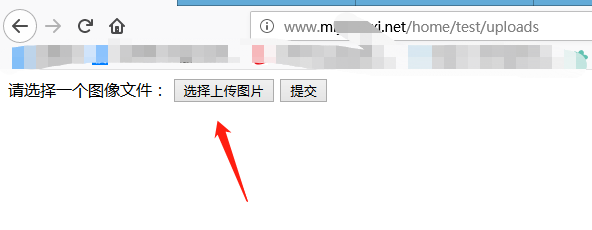
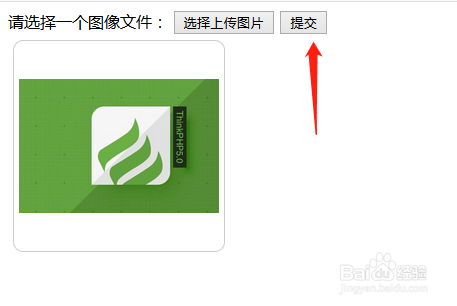
2、测试上传一张图片,点击提交
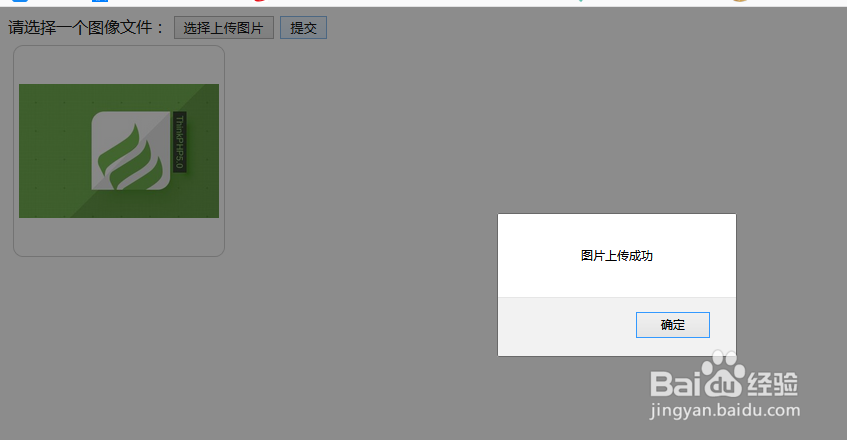
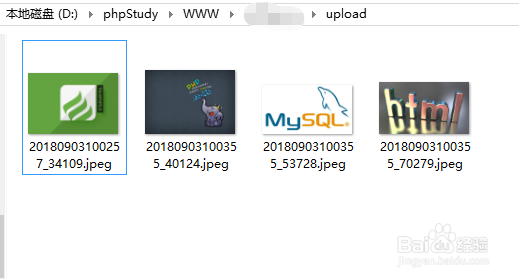
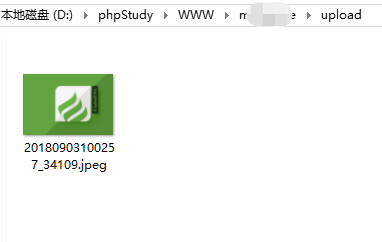
3、图片已成功保存在文件夹中
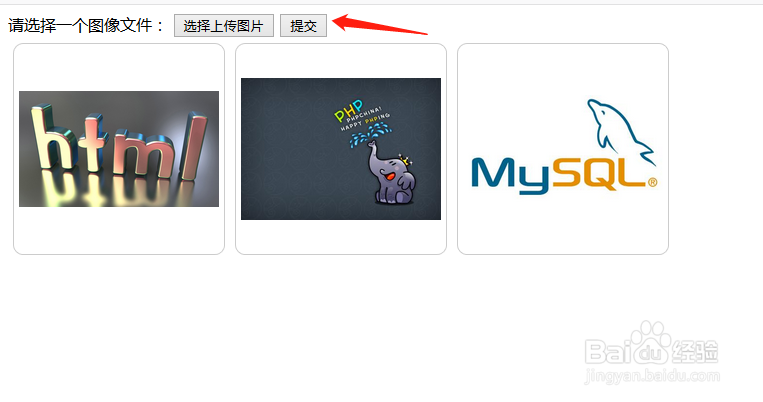
4、选择多张图片,点击提交
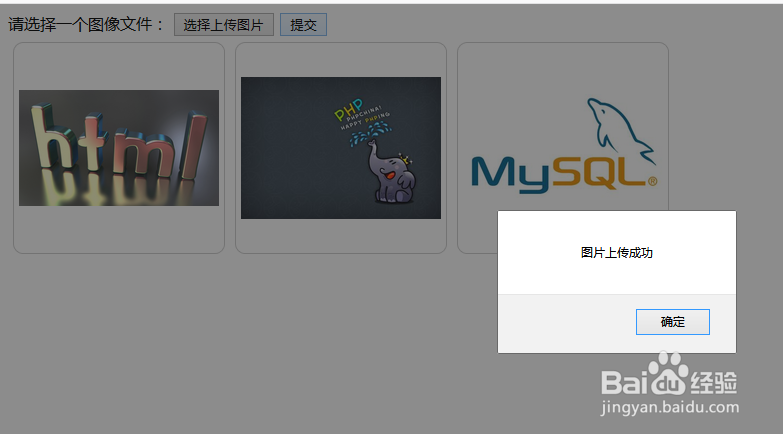
5、多张图片已成功保存在文件夹中