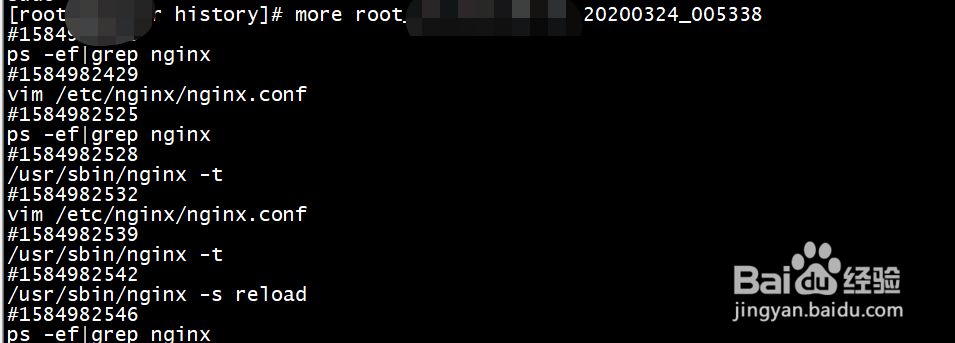
1、操作系统版本、内核版本

2、切换到root用户下,编辑/etc/profile

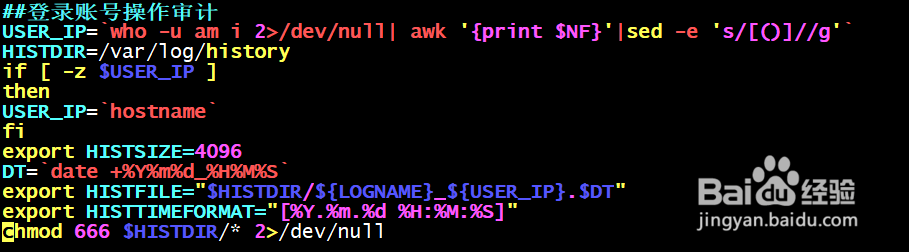
3、增加如下内容
##登录账号操作审计
USER_IP=`who -u am i 2>/dev/null| awk '{print $NF}'|sed -e 's/[()]//g'`
HISTDIR=/var/log/history
if [ -z $USER_IP ]
then
USER_IP=`hostname`
fi
export HISTSIZE=4096
DT=`date +%Y%m%d_%H%M%S`
export HISTFILE="$HISTDIR/${LOGNAME}_${USER_IP}.$DT"
export HISTTIMEFORMAT="[%Y.%m.%d %H:%M:%S]"
chmod 666 $HISTDIR/* 2>/dev/null
4、source /etc/profile

5、cd /var/log/history

6、会把操作记录按照用户来进行统计
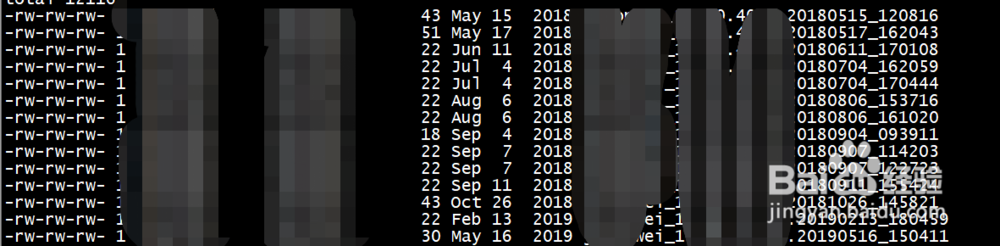
7、查看操作日志