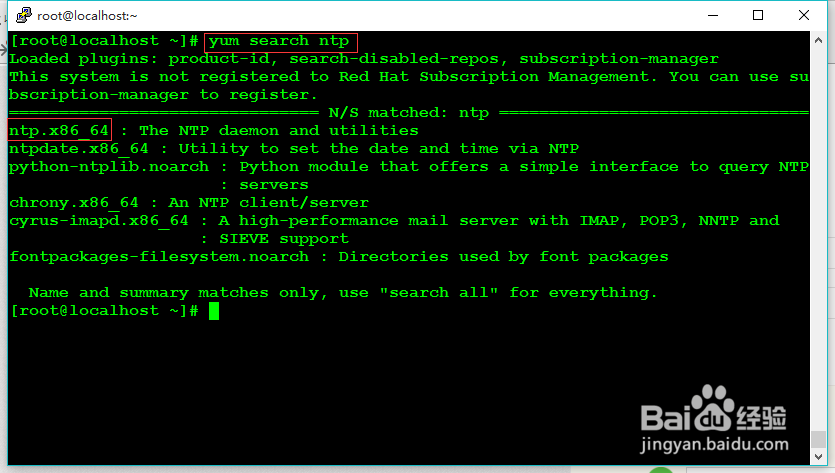
1、redhat版本不同ntp的版本可能也会有所变化,在安装之前需要查找ntp服务,看下是否存在:
yum search ntp
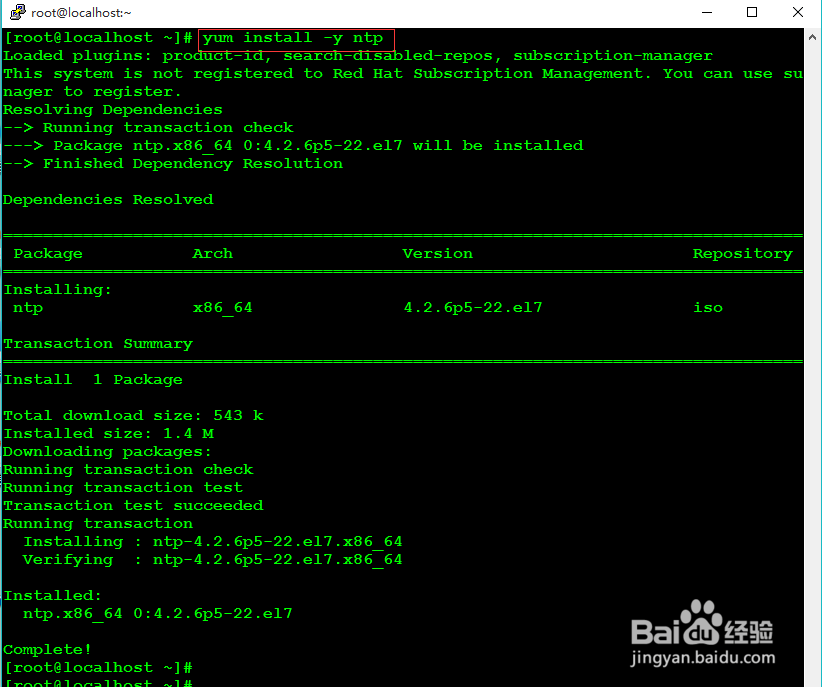
2、查找到ntp.x86_64,使用yum进行安装。安装时.x64_64可以不输入。
yum install -y ntp
-y:不提示,直接安装
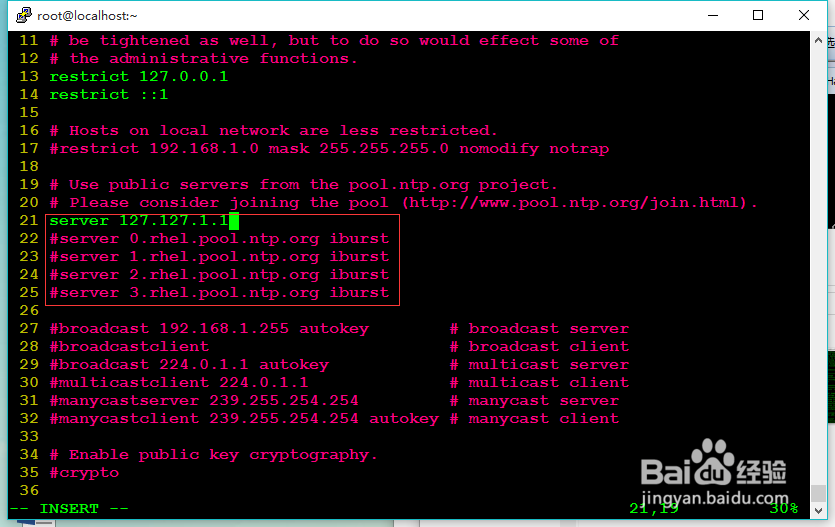
3、进入ntp配置目录:
vi /etc/ntp.conf
4、进入ntp.conf配置文件,注释以server开头的配置,并添加内容:server 127.127.1.1
添加完成保存退出。
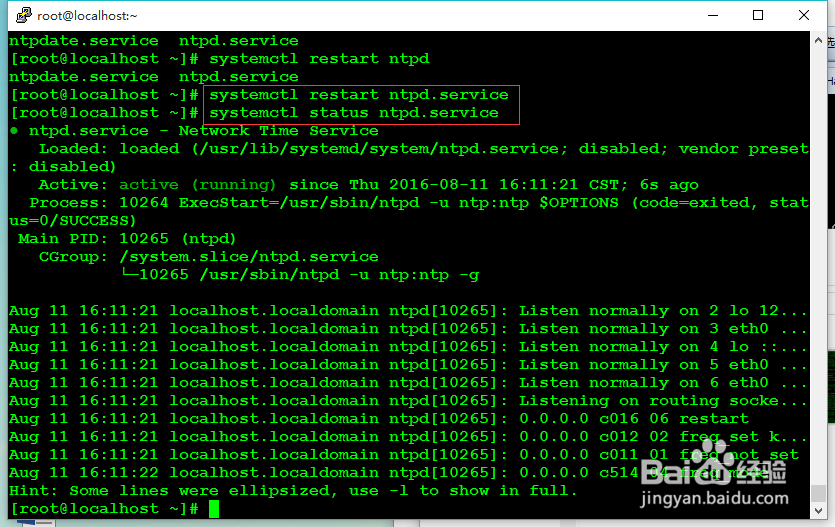
5、重启ntp服务器,并查看状态是否running。
systemctl restart ntpd.service #重启服务
systemctl status ntpd.service #查看状态
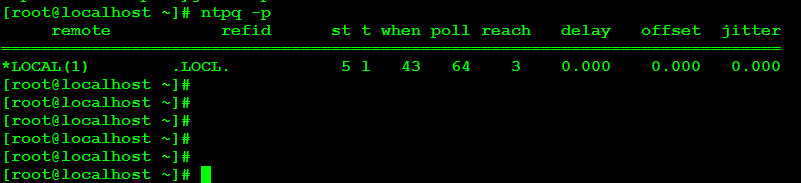
6、查看ntp服务是否能够被同步,显示为“LOCAL”,表示成功。如果没有任何显示,客户端将无法同步。
1、服务器已经配置完成,现在是Client配置,测试Client能否与Server相连。
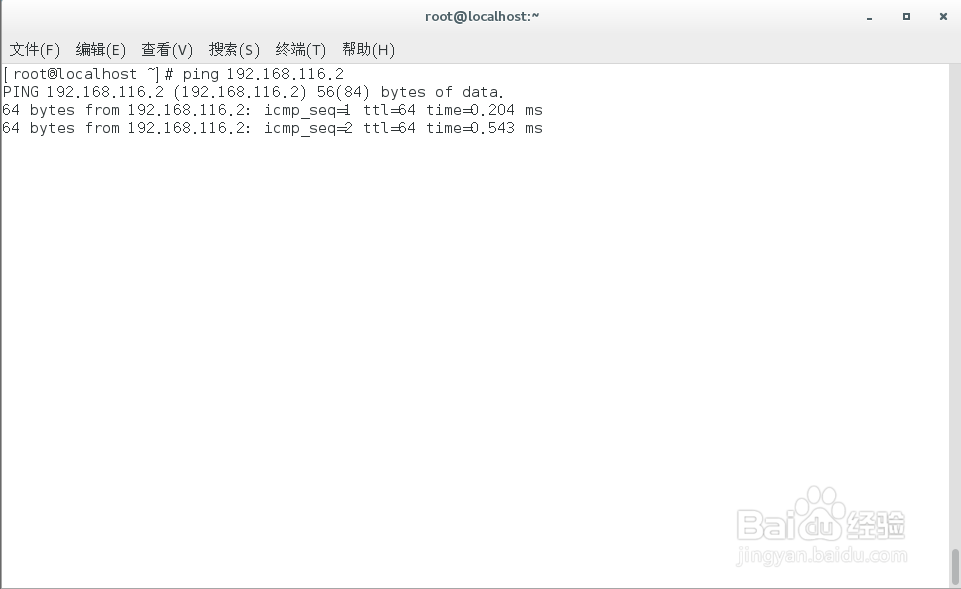
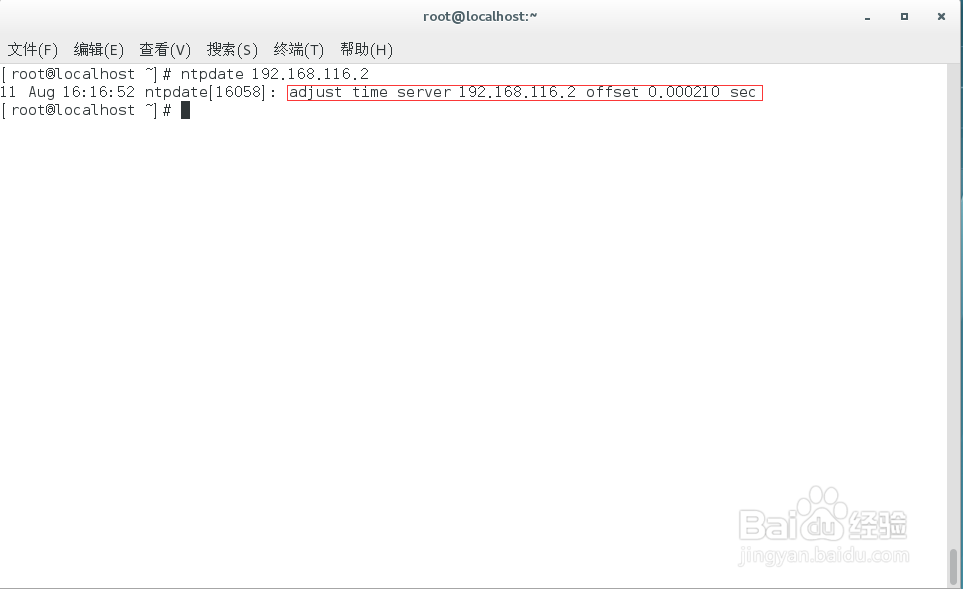
2、在Clientt上使用ntpdate来同步:ntpdate 192.168.116.2
同步后反馈是是成功同步的。