1、1.首先我们需要安装word2016,双击打开软件

2、2.进入新建对话框,如图所示新建空白文档

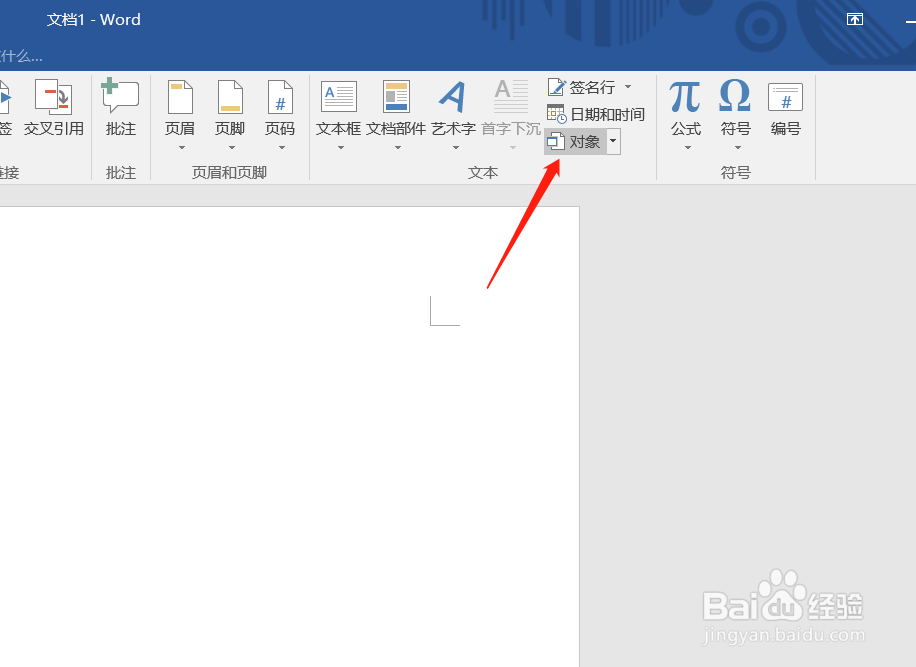
3、3.在顶部菜单中点击插入按钮

4、4.在插入选项中选择插入对象模式
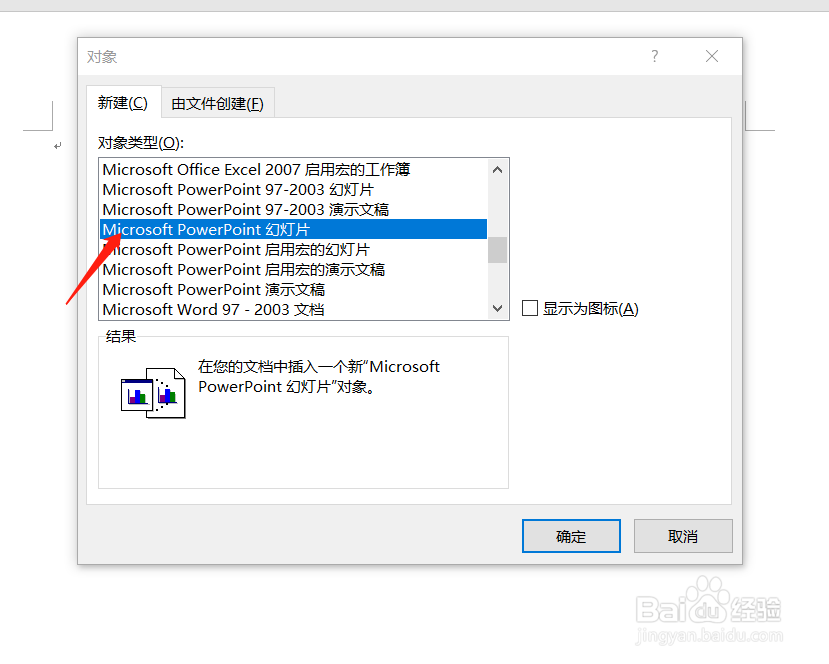
5、5.如图对话框,选择插入powerpoint幻灯片,点击确定
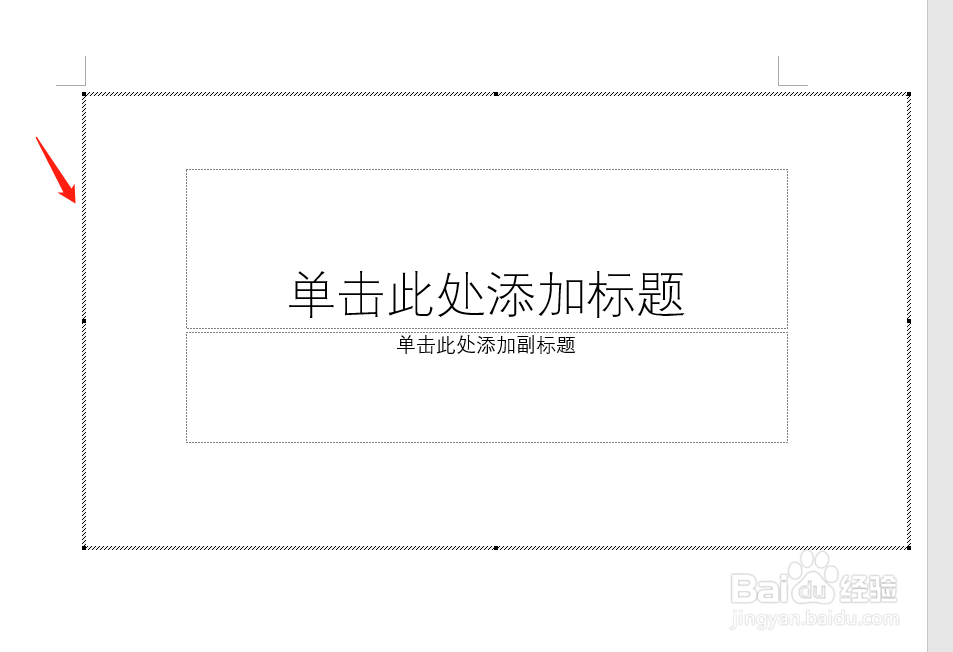
6、6.如图所示,我们插入的powerpoint幻灯片插入到word中
1、1.首先我们需要安装word2016,双击打开软件
2、2.进入新建对话框,如图所示新建空白文档
3、3.在顶部菜单中点击插入按钮
4、4.在插入选项中选择插入对象模式
5、5.如图对话框,选择插入powerpoint幻灯片,点击确定
6、6.如图所示,我们插入的powerpoint幻灯片插入到word中