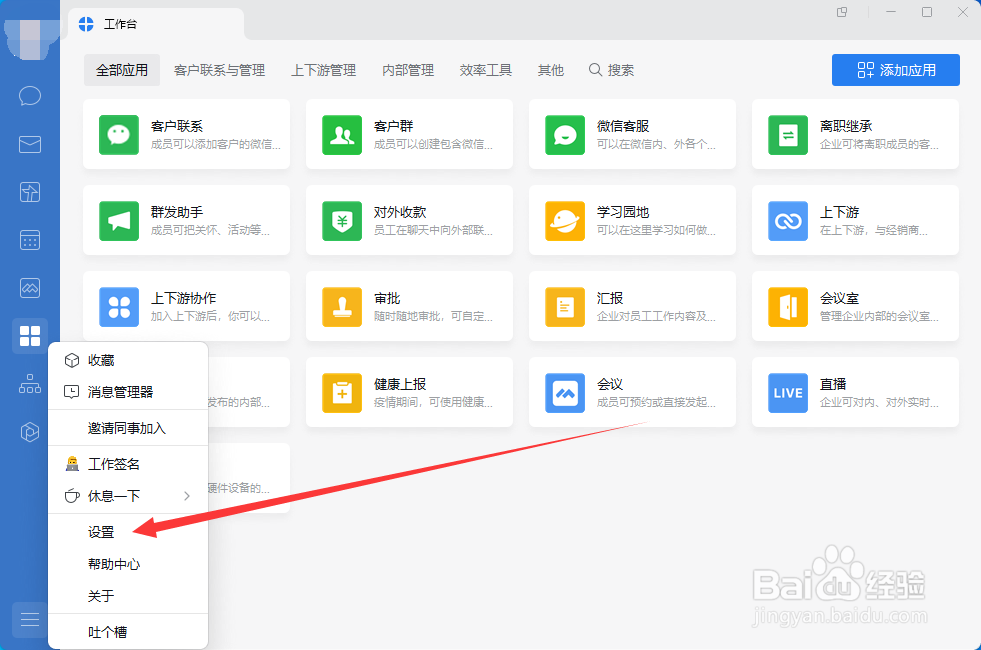
1、打开设置
打开企业微信,然后点击左侧下方的更多功能打开其中菜单中的设置功能打开。
2、打开快捷键
打开设置后,在设置中,点击左侧的快捷键功能打开进入。
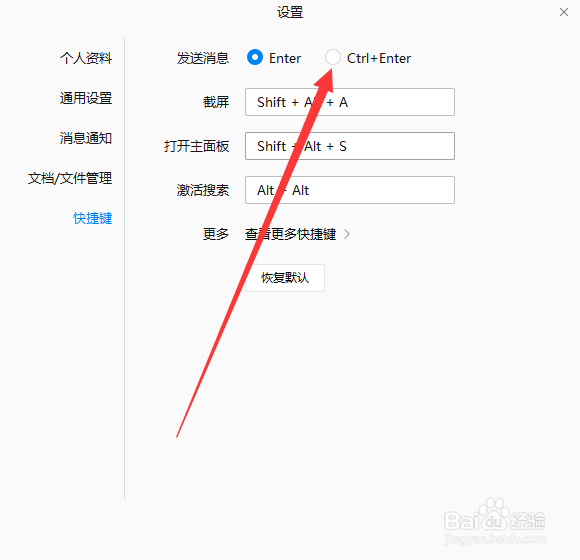
3、勾选Ctrl+Enter发送消息
进入快捷键功能后,点击勾选Ctrl+Enter发送消息。
1、打开设置
打开企业微信,然后点击左侧下方的更多功能打开其中菜单中的设置功能打开。
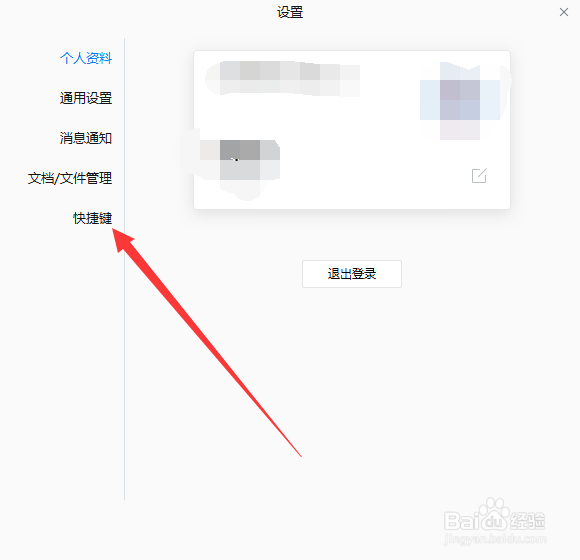
2、打开快捷键
打开设置后,在设置中,点击左侧的快捷键功能打开进入。
3、勾选Ctrl+Enter发送消息
进入快捷键功能后,点击勾选Ctrl+Enter发送消息。